In Google Classroom, I like to ‘Create a Question’ for quick checks or exit tickets. They are easy to create and manage. Students can read each other’s posts, comment, and have quality discussions with ‘Questions’. This is an underused tool by many who use Google Classroom. It truly is a hidden gem in this tool.
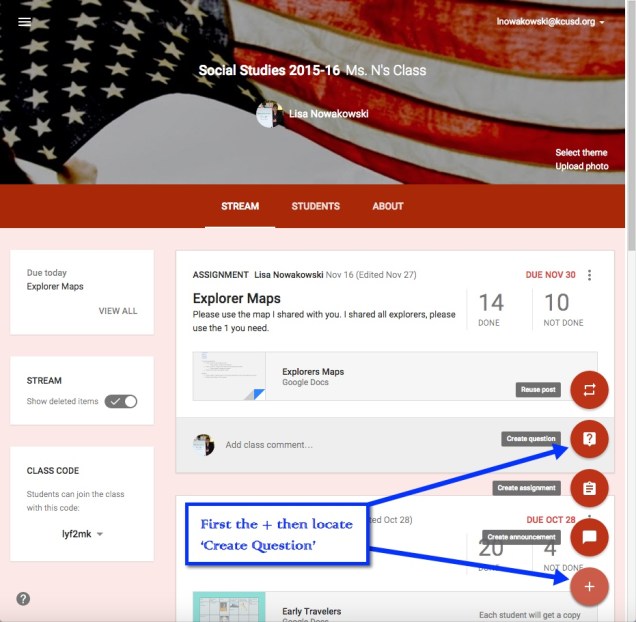
In order to create a Question, choose the + located in the bottom right corner of the ‘Stream’ section of your classroom.
Now I can create my question. I can insert a file, something from my Google Drive, a YouTube video, and/or a link to a website. I can insert as many items as needed. Since I teach 2 classes of Social Studies, I can assign the question to both classes, with files and links, at the same time. I can even set a due date. When I have my preferences set, I choose the blue ‘ASK’ button.

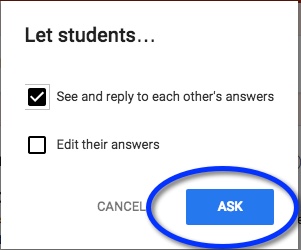
Next a pop-out window appears where I can allow students to view each other’s responses, or not. I can also allow students to edit their own responses. I like to allow students to comment on each other’s. This allows for discussion and opportunity for students to defend their positions. When I’m ready, I click the blue ‘ASK’ button.
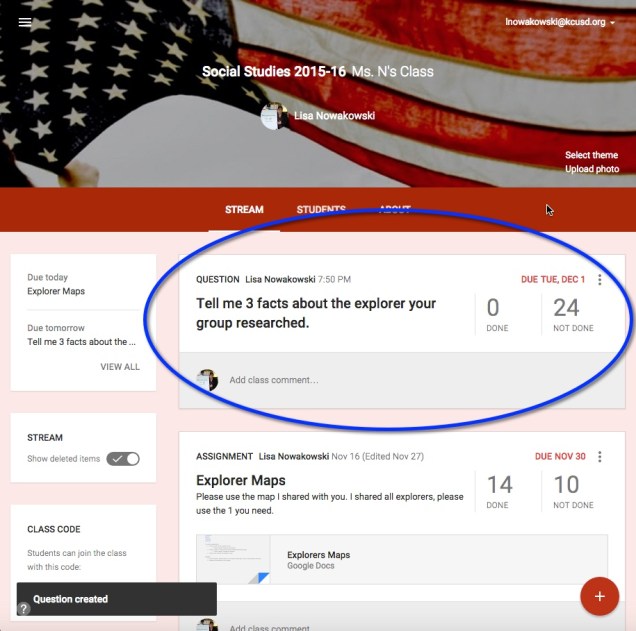
My question now appears at the top of the stream.
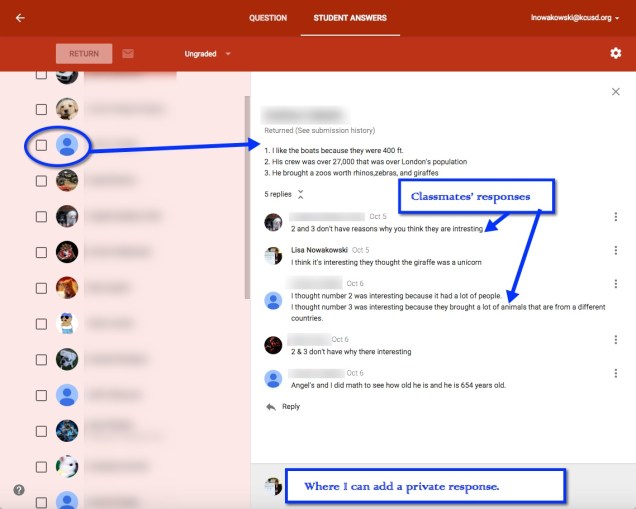
Here’s an example we did early this year. Once the students respond, I can then grade their answers if I choose to. On this particular example, I gave the students some material to review before answering. In order to encourage open dialog, I also asked them to comment on each other’s responses.

When I’m ready to view, I can click on ‘Done’ in the Question. This takes me to the Student Response page. All of their responses are listed along with the option to grade, comment, and return work.
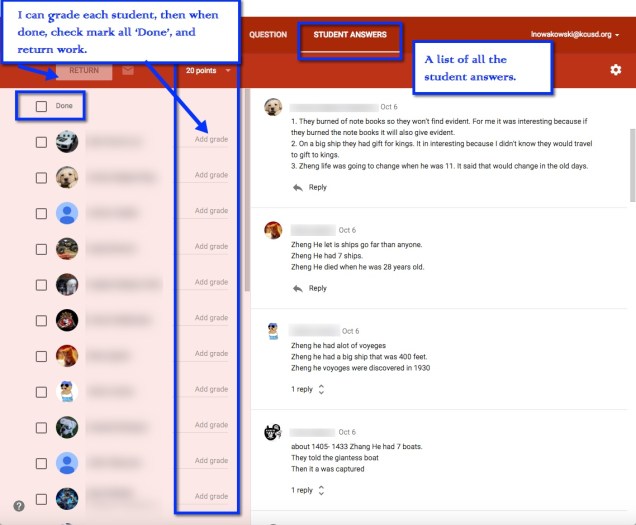
When I click on an individual student, I can see his/her answer and the classmates’ responses.
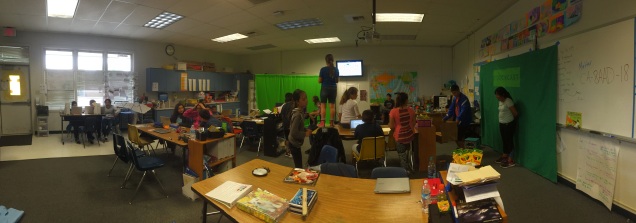




 So… Next week when I am back with my students I am ready to go! No, really I am. I have some exciting lessons, well, I think they’re exciting. And there are some big changes. One of the biggest changes coming up is that I will go back to teaching all the subjects. For the last year and a half, my partner teacher and I have done a partnership with our classes. However, due to forces outside our control this year, it just wasn’t working. Another change is my attitude towards classroom decorating. In the past, I have been lazy. I have had no desire to create that ‘cutesy’ type classroom. I filed it under, ‘just not my style’. What I really should have been saying is, ‘Ugh, that takes so much energy’. Apparently, I have found said energy. I plan to ‘cutesify’ my room. It will begin with a stool painting project. I then plan to paint other furniture in the room AND attempt to do something with the 1980’s metal blinds. Yup, my next few months of Genius Hour are packed!
