When I think about classrooms this time of year, I’m thinking of the workflow. This time of year is jam-packed with activities, final checks, and state testing. We don’t have time to waste. That’s why it’s important to reclaim your time.
If you want to survive May with your sanity intact, here are three features you should be leaning on:
1. Rubrics in Google Classroom (The “State Test” Hack)
Many teachers don’t realize they can import or build rubrics directly into their Google Classroom assignments.
The Pro Move: Take the actual writing rubrics from our state testing and build them into your final writing assignments.
The Benefit: When you grade, you just click the level (1, 2, 3, or 4), and Google does the math for you. More importantly, the students see exactly where they stand against the state standard before the test starts.
2. Google Forms as the “Automated Exit Ticket”
Stop collecting 30 slips of paper at the door. A simple 2-question Google Form can be your diagnostic “Biopsy” for the next day’s lesson.
The Pro Move: Use “Quiz Mode” with answer keys for multiple-choice questions.
The Benefit: You get a pie chart of student understanding before the kids even leave the room. If 70% of the class missed the question on fractions, you know exactly what your MathRep warm-up needs to be tomorrow.
3. The “Schedule” Button (Mental Health Move)
The Feature: Instead of hitting “Post” on an assignment, click the arrow next to it and select “Schedule.”
Why it helps: You can batch-plan your entire next week on Sunday night (or during a prep period) and have assignments drop exactly when class starts. No more fumbling with the “Create” button while 30 kids are waiting.
Bonus May Helper
Version History in Docs/Slides
The Feature: File > Version History > See version history.
Why it helps: In May, students sometimes “accidentally” delete their entire project or claim they “worked on it for hours” when they didn’t. Version History shows you exactly who wrote what and when. No more “he-said, she-said” during grading, just pure data.
It’s the end of April. If you’re like most teachers, you’re spent. Your students are spent. But the learning doesn’t stop just because the calendar flipped.
How do we keep the “polish” on our math skills without adding more prep to an already overflowing plate?
The “Assign and Go” Solution
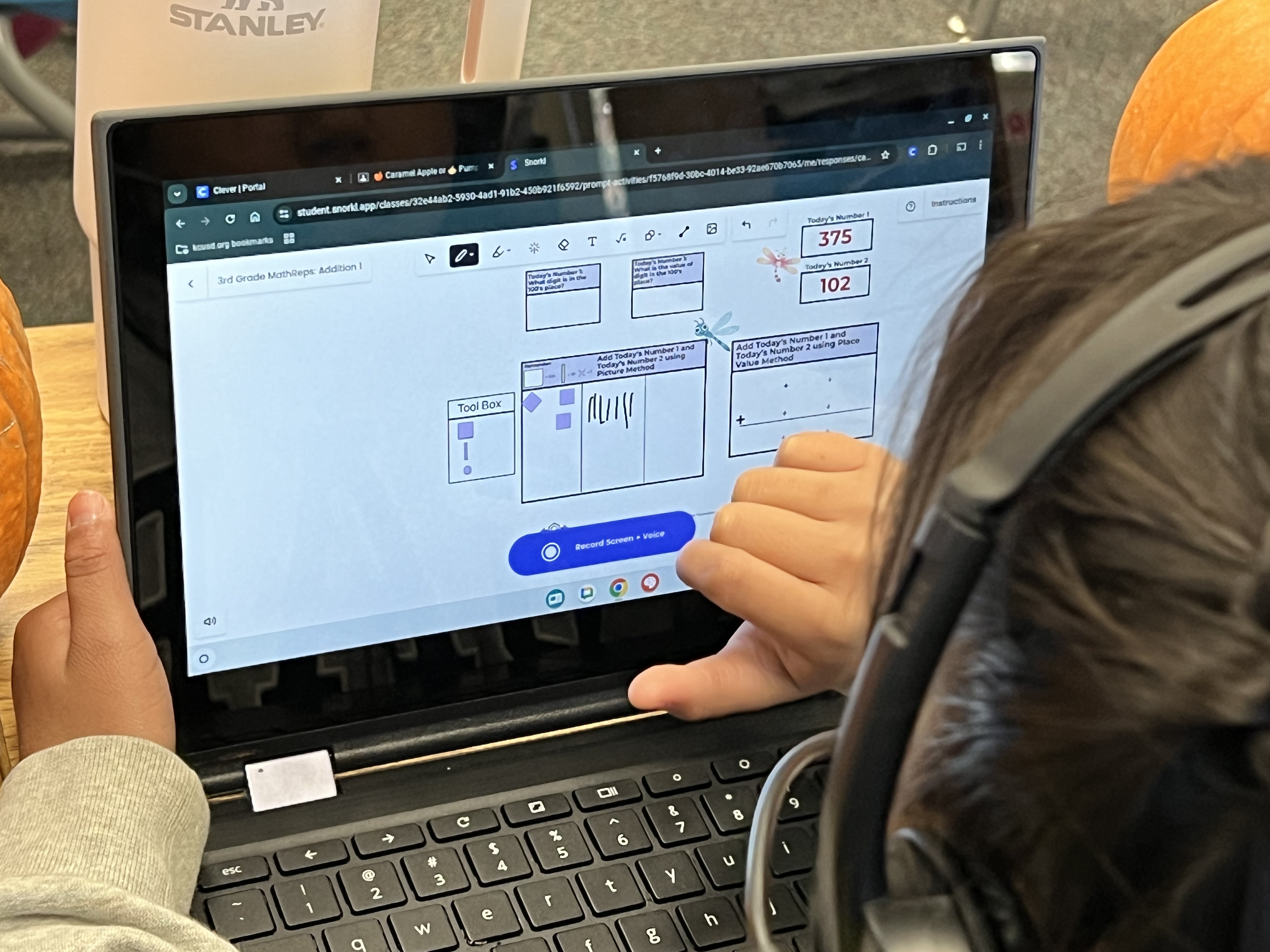
I am thrilled to share that MathReps are live and pre-made inside the Snorkl library. No more standing at the copier. No more hunting for the right PDF. You can quite literally “Assign and Go.” Whether you need to sharpen the 4 operations or dive deep into fraction models, the heavy lifting is already done for you. And what a relief that is!
Why This is a Game-Changer Right Now:
Zero Prep: Navigate to the Snorkl Library, click “EduProtocols,” and select “MathReps.” Everything from Kinder to 4th Grade (with 5th Grade coming soon!) is ready to push out to your students instantly.
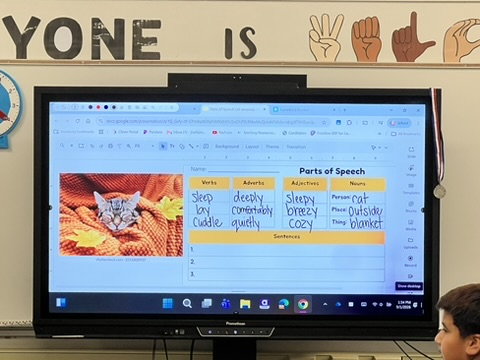
The AI Co-Teacher: At this point in the year, you don’t have the bandwidth to listen to 30 individual explanations. Snorkl’s AI does it for you. It listens to the student’s logic, catches the “Instructional Debt” (like that hidden skip-counting), and provides immediate feedback. Although you may have to remind the students to review the feedback, I’m finding that in some younger grades.
Consistency Over Novelty: Since these are based on the MathReps your students already know, you aren’t teaching a new tool; you’re just using a better engine to run the routine.
How to Find Them:
It couldn’t be easier.
Log into Snorkl.
Navigate to the Library.
Look for the EduProtocols section.
Select MathReps.
A Quick Update for 5th Grade
I know my 5th-grade teachers are waiting. I’m currently getting those frames ready for you! Stay tuned; they’ll be live in the library soon to help you finish the year strong.
The Bottom Line: You don’t have to choose between your sanity and your students’ growth. Let Snorkl handle the prep and the feedback so you can focus on being the human connection your students need as we close out the year.
This post is a deviation from my normal writing. I was inspired and needed to share the goodness.
This past weekend, I ran the 11-miler at the Big Sur International Marathon. It was a perfect running day, but the most beautiful thing I saw had nothing to do with the scenery. It happened about a quarter-mile from the finish line.
My running partner, Karen, and I came across a marathoner who was in serious trouble. He was unstable, stumbling from side to side, veering off into the grass. He was physically spent, his body giving out just yards from the goal.
What happened next is something I’ll never forget. And yes, there were some tears.
The “Helper” Runners
One runner stopped to check on him. The young man tried to snap out of it, insisting he was “okay,” but he clearly wasn’t. Then, two other runners did something incredible. They didn’t just ask if he was fine; they stepped in. One put the man’s arm around his neck. Then a second helper joined on the other side.
The marathoner was essentially dead weight; hunched over, barely able to move his legs. These two strangers took on his burden. Karen and I knew we couldn’t physically carry him as he was much taller and completely out of it, but we knew we couldn’t leave. We initially stayed right by the marathoner, watching until the two strangers stepped in to help.
The Trio at the Finish
By the time they reached the end, two medics took over, basically carrying the man across the finish line and straight to the medical tent.
To witness that level of kindness and selflessness was overwhelming. Karen and I both welled up in the moment, and honestly, as I write this, I’m welling up again.
Why This Matters (Beyond the Race)
We spend so much time debating: pedagogy, politics, the “right” way to do things. But in that moment, none of that mattered. What mattered was a human being in need and others who were willing to sacrifice their own time to ensure a stranger made it home.
This is how we should be at all times. Whether it’s in our classrooms, our district offices, or our communities:
See the struggle: Don’t just take “I’m okay” for an answer when someone is clearly stumbling.
Shoulder the weight: Be the person who stops to put an arm around a colleague or a student who is “dead weight” in that moment.
Watch the back: Even if you can’t carry the load, stay behind. Watch out for each other until help arrives.
At the end of the day, we’re all just trying to get across the finish line. It’s a lot easier, and a lot more meaningful, when we do it together.
In the sports world, athletes don’t spend the week before a championship learning new plays. They spend it “polishing”, perfecting their form, sharpening their reaction time, and ensuring their fundamentals are second nature. However, as a lifelong Detroit Lions fan, I’m not sure this analogy is always accurate. While I love my Lions, there have been plenty of games where it looked like they just learned the plays in the huddle! But all joking aside, as educators, we are preparing our students for life skills, not just a state test.
The Problem: The “Skill Blur”
When students are sitting at a computer, facing math problems one after another, cognitive overload is a real threat. The “how and when” of the four operations can easily get jumbled with fraction rules, and suddenly, all that geometry vocabulary becomes one big ole mess in their heads. This can be frustrating for both students and teachers.
It’s not that they didn’t learn the material; it’s that the retrieval is getting blocked by the sheer volume of information and tasks that need to be completed.
The Solution: MathReps as a Tactical Warm-Up
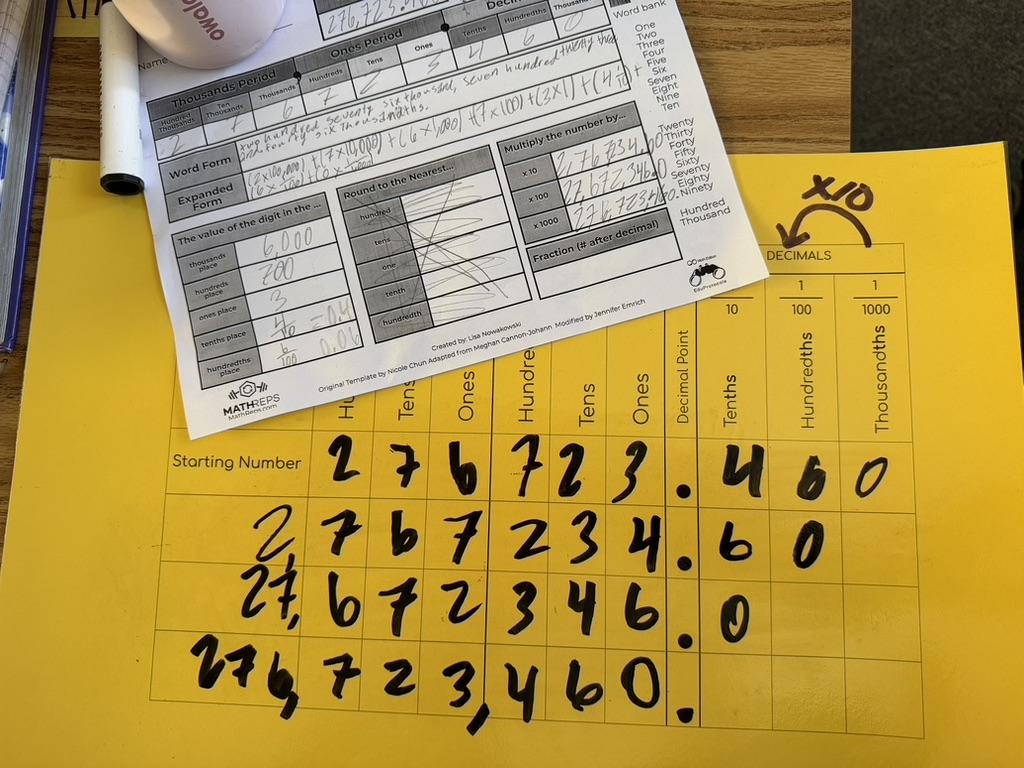
MathReps lower the affective filter by repeatedly practicing these core skills. I remember a year when my students didn’t just “do a unit” on decimals; we consistently spiraled decimal practice into our MathReps alongside other skills.
Because it was part of their regular routine, when they eventually faced a screen with decimal problems and tasks at the end of the year, they didn’t panic. The decimal didn’t throw them because it wasn’t a “guest star” in the curriculum; it was a familiar friend. By using MathReps as a 10-minute daily “Tactical Warm-Up,” we help students:
Filter out the Format: They’ve seen the area model and the number line hundreds of times. The “test screen” is just another canvas for their existing skills.
Sharpen the Fundamentals: We move from “manual labor” math to automaticity.
The 15-Day “Polishing” Routine
If you have 15 days left before the test, don’t reach for a packet. Reach for a Routine or EduProtocol.
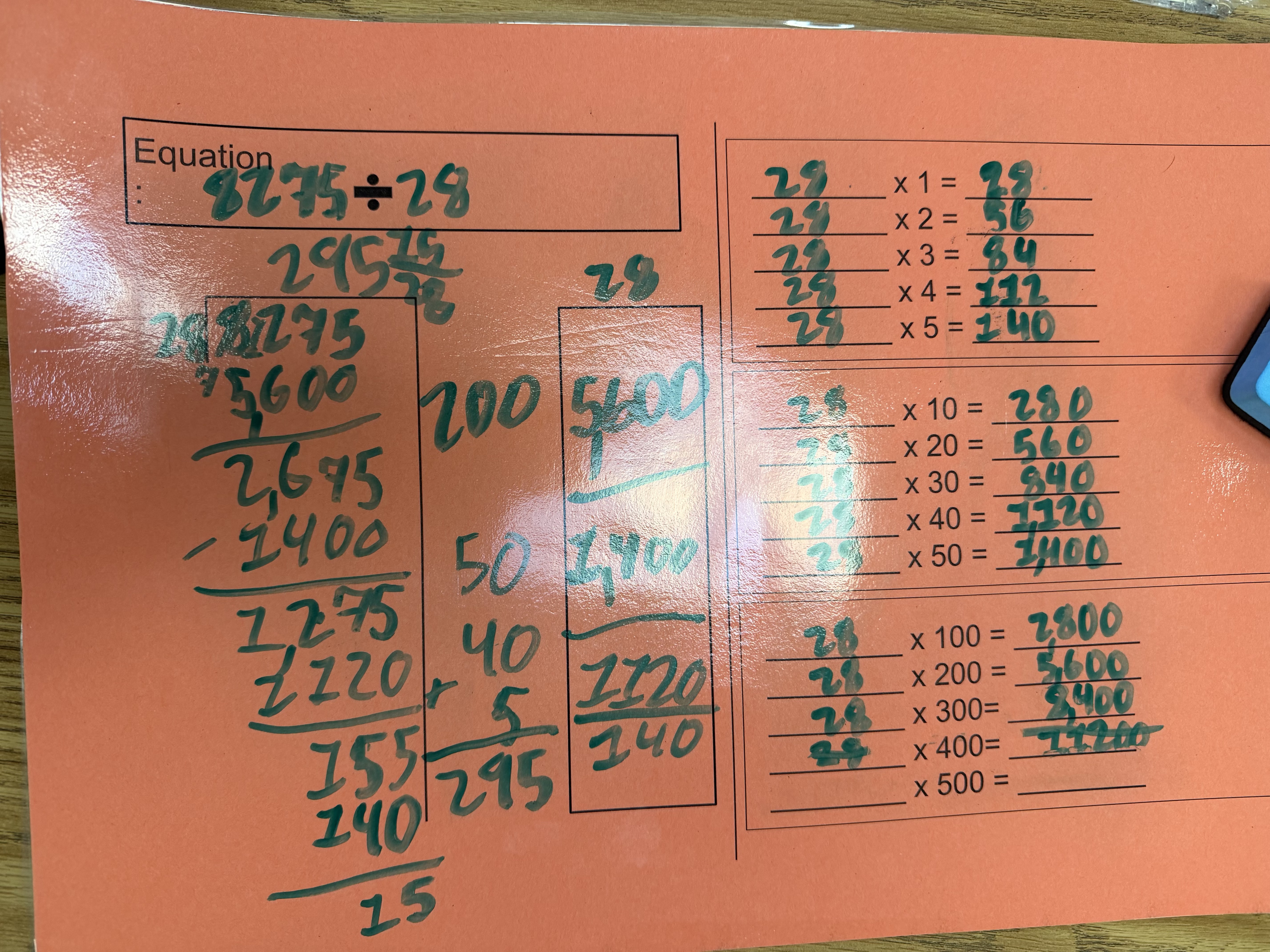
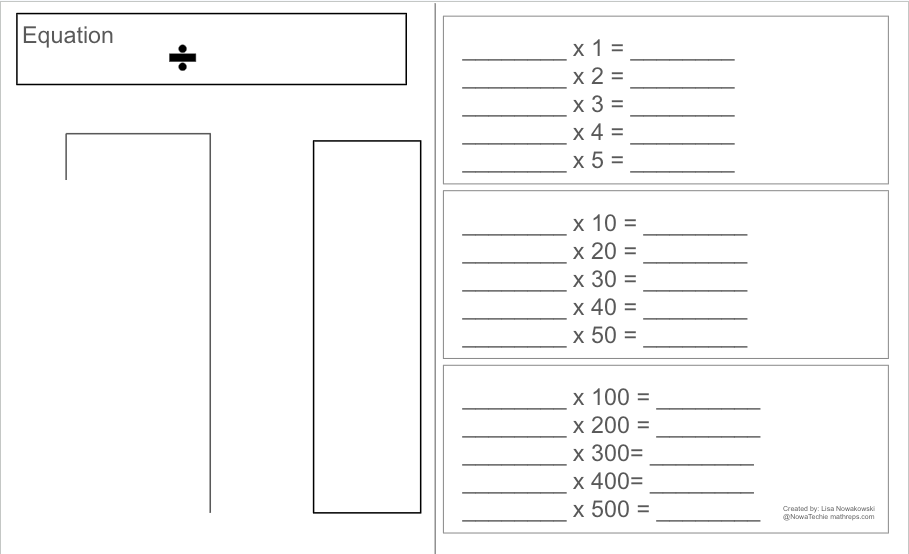
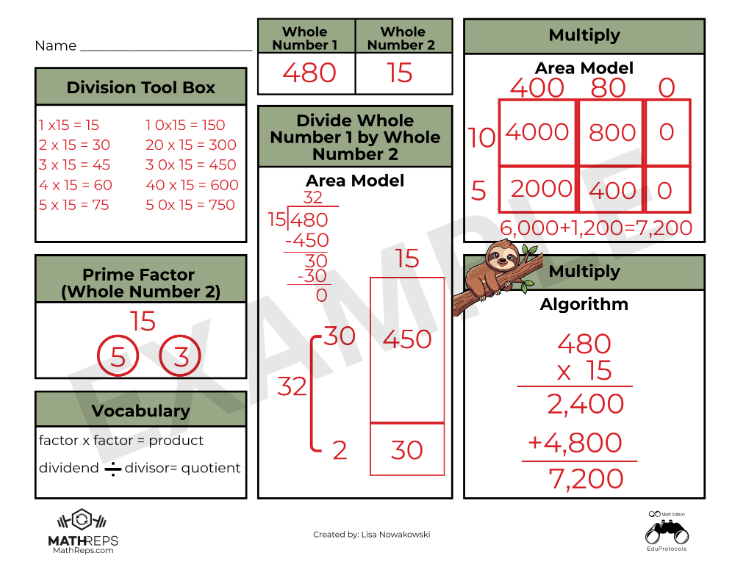
The Selection: Pick the MathRep that addresses the skill your students find the weakest. If they are tripping over the arithmetic, use an Operations Frame (like the giraffe example below).
The Routine: Use the same MathRep at the beginning of your math period for at least one week. Consistency beats variety here. On Day 1, they are reacquainting themselves with the procedures; by Day 5, they are mastering the logic.
The Pivot: After 5 days, if you’re feeling good, move to another high-leverage frame. Or, cycle back to a different MathRep you used earlier in the year to keep those older skills from getting lost in the sauce.
The Bottom Line
We aren’t “cramming” for a test; we are clearing the fog. When we polish these skills through MathReps, we give students the confidence to show what they actually know, rather than getting lost in the “mess” of a testing interface and the information overload that bogs them down.
As an instructional coach in a district that recently began Standards-Based Learning in math, I hear similar concerns across the district, especially this time of year. The pressure to have mastery of all the Priority Standards before the year ends. (It’s important to note that all the standards are being taught. There are Priority Standards and supporting standards. The supporting standards do just that: support. They are the prerequisites, if you will, to the Priority Standards.)
But there is a hidden “Instructional Debt” that makes these standards feel like an uphill battle. If we want our students to succeed at high-level problem solving, we have to talk about the one thing that has become a bit of a “taboo” word in modern math: Memorization. Okay, the act of memorization isn’t taboo; some of the old methods are no longer supported by current research. It’s a frustration for all K-12 math teachers. So let’s talk about it and how we can help students master facts using current research.
The “Cognitive RAM” Problem
Every student has a finite amount of mental energy (let’s call it “Cognitive RAM”). I can hear you all now, “So do the teachers!” When we ask a student to solve a multi-step word problem, that task requires a massive amount of RAM for reading comprehension, translation, planning, and strategic persistence.
If that student hasn’t memorized their basic addition, subtraction, or multiplication facts, they are forced to use their limited RAM for “manual labor”: counting on fingers, drawing tally marks, drawing, modeling, or skip-counting. By the time they get to the actual logic of the problem, they’ve run out of “mental memory.” The whole task seems insurmountable.
The truth is: Memorization is Creative Freedom. When the facts are automatic, the brain is finally free to be creative in the approach to solving the problem. It breaks down a barrier. Think about it. If you are trying to solve a problem and realize you need to multiply 376 by 48, but you don’t have your facts memorized, this task just became a slow, muddy drudge. However, if you know you will need to multiply 376 by 48 AND you know your facts, the hard part is behind you once you know what to do. Suddenly, things don’t feel so unattainable.
The Progression is Non-Negotiable
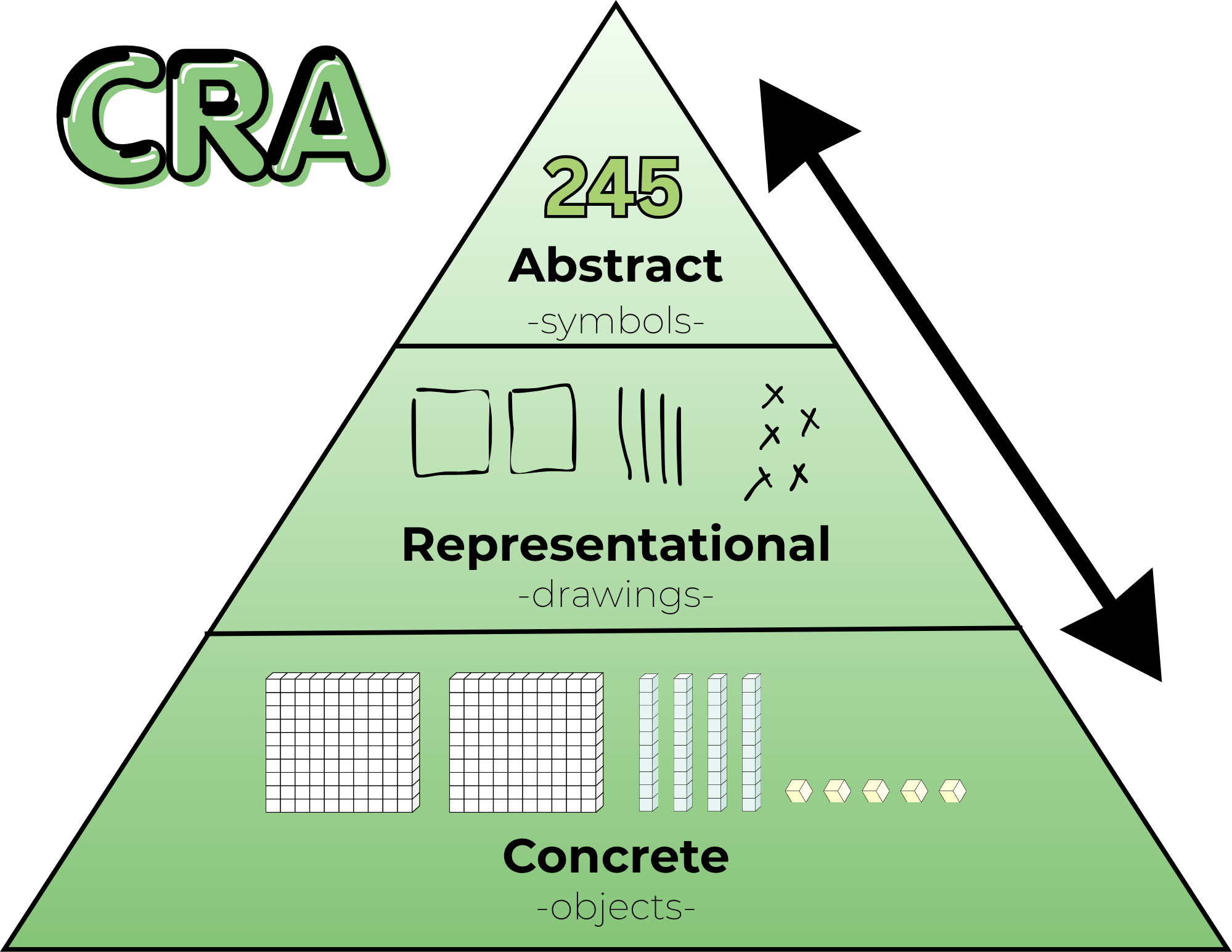
To be clear: I am not advocating for “rote memorization” without understanding. Memorization is the final step of this Learning Progression. It only works if it is built on a solid foundation:
Concrete: Manipulating base ten blocks and counters.
Representational: Drawing tape diagrams, number paths, and arrays.
Abstract (The Goal): Automaticity, mental fluency, and algorithms.
If we jump straight to memorization, we build a house of cards. But if we stay in the “Representational” phase forever, allowing students to rely on skip-counting patterns or finger-counting, we are capping their growth. We are asking them to do “back-breaking” math every single day. We do need to nudge them to move beyond the Representational model and help them see/understand that they are ready for the abstract and that the abstract is, in fact, your friend.
The Three Gaps Holding Students Back
When I listen to teachers discuss where students are “stuck” on a standard, they usually find that there is a gap in one of these three essential progressions:
1. The Missing Floor (Addition & Subtraction Facts) If a fourth grader is still “counting on” to solve 14 + 6, they aren’t just slow, they are overloaded. Mental math strategies like “Make a 10” are the building blocks for every standard that follows.
2. The Fluency Wall (Multiplication & Division) Skip-counting (7, 14, 21, 28…) and arrays are beautiful ways to learn multiplication, but it’s a weight around a student’s neck during long division. We have to move them across the bridge to automaticity.
3. The Magnitude Gap (Flexible Thinking) When a student looks at 1/4 and 5/6, do they see numbers to crunch or magnitudes to visualize? Flexible thinking means knowing that 1/4 is “a little bit” and 5/6 is “almost a whole.” If they can’t visualize this, they aren’t ready for the standard of comparing fractions.
Bridging the Gap with MathReps
This is exactly why the MathReps framework exists. We don’t just “hope” kids learn their facts or develop flexible thinking. We build consistent, high-frequency opportunities to practice these skills alongside the priority standards.
A MathRep ensures that students touch the concrete and/or representational models every single day until those skills settle into the abstract. It allows us to pay off the “Instructional Debt” in small, daily installments so that when students are expected to solve two-step word problems with multiple operations, our students have the mental capital to win.
The Bottom Line: Don’t be afraid to slow down and build the floor. You aren’t “behind” on the pacing if you are busy building the progressions that make those standards possible.
“Where do I find that link?” “I don’t see the assignment!” “Where do I go?”
If you are a K-5 teacher, and likely beyond, you’ve likely heard these phrases on repeat. As an instructional coach and Tech TOSA, I see the “Digital Scroll of Doom” in half the classrooms I visit. If you identify with this, you’re not alone. I used to have this, too. It isn’t just a nuisance; it’s a drain on your most precious resource: Instructional Minutes. Every second a student spends hunting for a file is a second they aren’t engaged in the work. It’s time to move from a “Digital Dump” to a “Curated Workflow.” Here is how to dial in your Google Classroom for maximum efficiency.
Step 1: Silence the “Scroll of Doom”
By default, Google Classroom clutters your Stream with every assignment and material you post. This turns your communication hub into a chronologically messy place where important announcements get buried.
The Fix: 1. Go to your Classroom Settings (the gear icon). 2. Scroll to General. 3. Change “Classwork on the stream” to “Hide notifications.”
“But… how will they know what to do?”
This is the number one concern I hear. The answer is simple: The To-Do List. Whether an assignment has a due date or not, it automatically populates in the student’s personal To-Do dashboard. By silencing the Stream, you aren’t hiding work; you are teaching students to use their “Digital Planner.” This builds student agency and stops the habit of “hand-feeding” links every ten minutes. Students become self-sufficient.
Step 2: Choose a Consistent Topic Strategy
Once the Stream is clean, the Classwork tab needs a map. In K-5, there isn’t one “right” way, but there is a consistent way. Here are the two most effective structures I see in “Dialed In” classrooms:
The 5-Day Static Loop: Create topics for Monday, Tuesday, Wednesday, Thursday, and Friday. When you post a new assignment, put it under the corresponding day. Because Google Classroom places the newest post at the top, students develop muscle memory. They know exactly where the “fresh” work lives. Use color dots (e.g., 🔴 Monday, 🔵 ELA, etc.) to create visual anchors for younger readers and ELD students.
The Subject Specialist: Organize by Math, ELA, Science, etc. This helps students categorize their learning. Use Emojis (e.g., 🔢 Math, 📖 ELA) to create visual anchors for younger readers and ELD students.
Pro-Tip: The “Guest Teacher” Landing Zone Create a permanent topic at the very top labeled “😀 Guest Teacher / Coach.” When I walk into a room to guest-teach a lesson, we don’t waste 5 minutes navigating. I tell the students, “Go to the Guest Teacher topic,” and we start the math immediately. That is pure efficiency.
Step 3: The Quarterly Sweep
Efficiency requires maintenance. Even a static 5-day loop can become a mile long if it’s never pruned. That MathRep you did in September doesn’t need to be in the way of the work you’re doing in November.
The Strategy: At the end of every quarter or trimester, perform a 5-minute audit.
Create a topic at the very bottom titled “📝 Past Work [T1].”
Drag old, completed assignments into this “Warehouse.”
Delete any one-off materials or broken links that are no longer relevant.
If waiting until the end of the quarter or trimester doesn’t work for you, try the end of the month or every few weeks. The point is to create a system that works for you and is sustainable.
The Bottom Line: Instructional ROI
A clean digital classroom isn’t about being “neat” or “organized” for aesthetic reasons. It’s about Instructional ROI. When you flip the Stream switch and pick a consistent topic structure, you are reclaiming time for yourself and your students. Stop acting as a human search engine and start using those reclaimed minutes for what matters most: helping your students find success.
Every teacher has that one student – the one who is mathematically brilliant or deeply creative but remains quiet during whole-class instruction. When a teacher finally hears that student’s voice through a tool like Snorkl, it’s a powerful moment of validation.
It’s validation that the tech we are using is meaningful and having a measurable impact. It’s the proof that the student is absorbing the information and is, in fact, brilliant. Most importantly, it gives us the data to back up our suspicions that the student is capable of much more than they show in a group setting.
The “Autopsy” Model: Why the Whole-Class Check Isn’t Enough
For years, the gold standard of education has been the “Turn It In” culture. A student completes a worksheet, the teacher collects it, and it is eventually graded (usually 24–48 hours later).
Even when we try to speed this up by “checking together as a class,” we are often still stuck in the Autopsy Model.
While a whole-class check provides “immediate” answers, it isn’t personalized. A student might mark an answer wrong, but the “why” remains a mystery. The teacher is still acting as a coroner, documenting a collective result after the thinking has stopped, rather than coaching the individual student through their unique misconception.
The “Biopsy” Model: Catching Learning While It’s Alive
We need to move toward a Biopsy Model, where feedback is instant, alive, and happens while the student is still in the “messy middle” of thinking.
Looking at this image, which leads to better understanding and engagement? The left shows an autopsy; the right shows a biopsy.
In my district, I’m seeing teachers achieve this through a powerful combination of analog and digital tools: Wipebooks + MathReps + Snorkl. And soon, a Kami component will be used for assessment.
The Low-Stakes Rehearsal: Students start on a Wipebook. Because it’s erasable, they aren’t afraid to make a mistake. They can “draft” their thinking, erase, and refine until they are ready to share.
Cognitive Unloading: Students snap a photo and record their explanation. For our ELD learners, this is a game-changer. Snorkl allows them to record in their primary language. By removing the “Brain Tax” of translation, students can use 100% of their mental energy on the math logic itself.
The Immediate Pivot: Because Snorkl provides instant, personalized AI feedback, the teacher’s role shifts. You aren’t just reading answers off a key to a silent room; you are intervening based on real-time data.
Moving with Data-Driven Intent
The most exciting part of this shift isn’t just the tech; it’s the Strategy.
Editor’s Note: The “Insight” Advantage Don’t just look at individual scores. Use the Insights feature to see patterns across your class. Snorkl analyzes the results and groups students with common mistakes together. This allows you to pull a small group immediately and address the issue while the interest is still ongoing.
A Rallying Cry for Success
When we see a quiet student step into the arena, using their own voice, their own language, and their own logic, it validates that our instructional choices are working. It proves that the student can do the work, and now we have the data to back it up.
I want to hear from you: When was the last time a “quiet” student shocked you with their brilliance? How did you uncover it? Share your success stories below. Let’s celebrate the moments where the “biopsy” saved the day!
It’s the same story every year. You leave school on Friday, thinking the lesson was solid. The exit tickets were great, the students “got it,” and you have the data to prove it.
Then Monday morning happens. You know where this is going, right?
You pose a warm-up question, and instead of hands in the air, you get a sea of blank stares. It’s frustrating, defeating, and it feels like you’re constantly playing catch-up. Reteaching isn’t fun for you, and it certainly isn’t for them. But why does this happen? I’m so glad you asked.
The Science of “Monday Amnesia”
The culprit isn’t your teaching; it’s a psychological phenomenon called the Ebbinghaus Forgetting Curve.
In the late 1800s, psychologist Hermann Ebbinghaus discovered that human memory declines exponentially. Without active reinforcement, we lose 50-70% of new information within the first 24 hours – yikes! By the end of a week? Up to 90% can be gone.
When we wait until “Friday Review” to revisit a concept, we aren’t reviewing; we are re-learning. We are trying to fill a bucket that has already leaked dry. This is where our frustration begins.
How to Flatten the Curve
Ebbinghaus also found a solution: Spaced Repetition. And if you follow John Hattie’s work, he has found that spaced repetition has an effect size of 0.62 to 0.65. Every time you revisit information, the forgetting curve flattens. The memory becomes more durable, and the rate of decay slows down.
The “sweet spot” for that first repetition is within the first 24 hours. This is where MathReps comes in. See, I got you!
Why MathReps is the “Escape Hatch”
MathReps is built on the 10-Minute Mastery Loop. It works because it solves two major classroom problems at once:
The 24-Hour Reset: Instead of waiting for a weekly quiz, MathReps hits the same standards/skills daily. By practicing on Tuesday what was learned on Monday, you “reset” the forgetting curve before the “blank stares” have a chance to set in.
The “Brain Tax” Refund: Usually, reteaching involves a new layout or activity. This forces students to pay a “Brain Tax”, using their cognitive energy just to understand and navigate the instructions and tasks. With MathReps, the format stays the same for 6-8 weeks. Because the structure is predictable, the “Brain Tax” is zero. Students spend 100% of their mental energy on the math. And this is exactly what we want them to do.
Build Mastery, Not Just Distant Memories
When you use the same MathRep for 6-8 weeks, the skill moves from working memory into immediate recall. You don’t need a hundred different activities; you only need 5-7 core MathReps to cover the entire year’s essentials. Right there is what every teacher wants to hear. No digging through sites to find another activity, no extra work for you, just 5-7 MathReps that you work with during the year.
Check out this 30-second breakdown of how the protocol works:
Ready to start your first loop?
Don’t waste another Monday morning playing catch-up. Use our searchable database to find the perfect daily rep for your current unit or one that will help with your yearly review for those state tests.
💡 Pro-Tip: Start your first 8-week cycle with Place Value. It is the foundation for almost every other standard, and building automaticity here will pay dividends all year long.
Well, I’m back. It’s been a hot minute since I’ve written here. I was in the February slump that somehow dragged into March – you know how that goes. But during that quiet time, I was busy building the tool you’ve been waiting for!
As many of you are aware, I am the creator and curator of MathReps. For a long time, I have wanted a searchable database where you can look up MathReps by standard or keyword (s). I am pleased to say that I have created such a system! Yes, that’s right, you can now search through the entire K-12 MathReps library and find what you need. The system is seriously slick; it will take you to the exact slide you need. No more searching through stacks of slides. No more wasted prep time. We’ve all been there. We know there is the perfect MathReps for 4th-grade fractions, but you’re clicking through a few different slide decks to find it. I decided that HAD to end.
Here’s a quick 55-second walkthrough to see it in action.
What You’ll See: What this new database does for you
Search by standard: type in “4.NF.1” and go
Search by keyword: need “Decimals” or Array”? Just type it in
Direct Access: It doesn’t just take you to the slide deck; it takes you to the exact slide
This is just the beginning. I have a few ideas for making it even better. Stay tuned. I’d love for you to go try it out at mathreps.com/search-all-mathreps and tell me: What’s the first standard you’re going to search for?
This series began with a simple but uncomfortable question: Is tech really the problem, or could it be something else? The teachers care, the students can learn with technology, and technology isn’t inherently bad.
However, the system moved faster than the support.
Across these past few weeks through these posts, we’ve explored how learning science favors retrieval, explanation, and production; how screen use is complex and nuanced; how professional development was often the missing bridge; and how teachers are still finding ways, quietly and creatively, to make learning meaningful within real constraints. It’s not easy, but teachers are doing it.
If there’s one thread that connects it all, it’s this: education doesn’t fail because educators fail. It falters when tools, policies, and expectations lack the support the systems need to sustain them.
Teachers were asked to learn and integrate platforms without pedagogy, manage mandates, and personalize learning without time. And yet, classrooms remain places where curiosity, care, and learning persist. We need to support this with pedagogy and giving time.
This series was never meant to argue for less technology or more technology. It was meant to argue for better use, grounded in research, shaped by pedagogy, and tempered by reality. Balance doesn’t come from extremes. It comes from thoughtful choices, small shifts, and shared responsibility.
Let me leave you with some final thoughts of hope.
Hope lives in teachers who start small. Hope lives in students who explain their thinking. Hope lives in leaders who listen before they buy or jump to a new mandate.
And hope lives in the understanding that change doesn’t require perfection: it requires intention.
If this series sparks conversation, reflection, or even quiet validation for someone navigating these tensions, then it has done its job.
A final question: What if we centered learning over tools, trends, or timelines? What could education become?