Recently I have begun to incorporate projects more and more into my classroom. The latest was ‘Shop ‘Til You Drop’. This activity gave students real-world experience adding and subtracting decimals (This is a 5th grade Common Core Standard – NBT.7). It also incorporates 4 other Common Core Standards. It was a project that my partner teacher found online. And like any good teacher, I have had time to reflect on the project; take note of what went well, and what I will do differently next time.
Photo by geschenkhamster.de via wiki commons
What went well:
Students begged to work on the project.
Students took the assignment seriously.
Students asked for help with subtracting across zeros – I need to go back and reteach.
Students helped one another solve problems and find gifts.
Many quality presentations were made.
Many students viewed their project on the TV, seeking feedback.
Students took feedback and made adjustments – even after their presentation was given.
Templates were used and modified.
Things that need improving:
Work space on paper (just to make sure they’re not using a calculator).
Rubric/Scale that fits my needs – Marzano based.
Give more time. Took longer than I anticipated.
Ask what student would do with left over money. While some volunteered this information, many did not. It wasn’t something that I thought about until one student shared her thoughts – she wanted to donate the rest to a charity.
And because I am a firm believer in sharing, here is the lesson – templates included. I have included the NETS-S as well. Feel free to share, modify, and use.
Last Sunday – 12/29/13 – I joined in on a Twitter Chat #Caedchat (California Education Chat). If you haven’t stopped by to check it out, you should. Every Sunday at 8 PST. Anyway, the topic was looking back at the past year. One question asked for us to share out our ‘Reflection’ blog for 2013. A surprising number of us didn’t have anything to share. Not that we don’t blog, we just hadn’t written our reflections for the year. Which then led to Karl Lindgren-Streicher (@LS_Karl aka #MrBeanBagHoggerPants), stating that there needs to be more educators blogging. He was right!
Which leads me to my new ‘challenge’. Again on Twitter, I noticed that Karl supported a new blogger, Trisha Sanchez (@techishtrish), by tweeting out her first blog post. I went to her post and began reading. It was a great reflection of her year – and what a wonderful year it was! I then Tweeted out to her, and began following her on Twitter. And through the power of Twitter, Donnie Piercey (@MrPiercey) got in on the action. His simple comment of needing to blog began an avalanche of comments and our ‘challenge’ – who can blog the most (#TeacherBlogContest).
Game on! The four of us are fairly competitive, so be on the lookout for our posts and tweets. You can follow our hashtag, yes we decided on a hashtag, #TeacherBlogContest. We’re figuring it all out as we go, and it’s sure to be great fun. AND if you want to join us, we welcome it! No matter what, we encourage everyone to blog more in 2014.
#TeacherBlogContest:
Begins January 1, 2014
Ends January 31, 2014
If successful, may go into the next month
Most posts wins (Posts need to be meaningful, helpful, or informational)
Earlier this year, I instituted Genius Hour. It has become the students’ favorite time of the week. I blogged about it recently, and you can read it in Why Genius Hour.
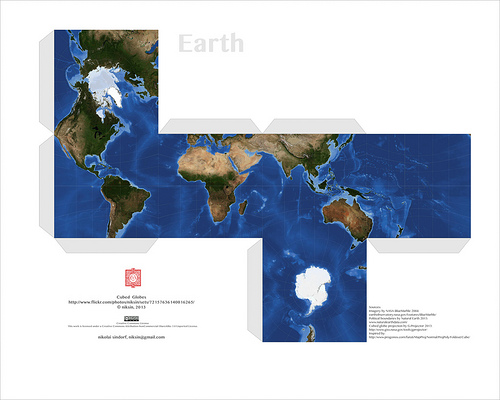
One of the biggest successes has come from Isaac. He is a creator by nature – tape and paper are his mediums of choice. In the past (I taught Isaac a few years ago) he would cut, tape, and draw on his creations. Well, he has since discovered Minecraft and Papercraft – the paper version of Minecraft. At first, he would have me print out Papercraft creations he found online. Much like this:
Those are pretty cool and all, but then I showed Isaac Google Draw. That was it for him. His creativity kicked in and he hasn’t asked me to print out a prefab one in a while. Why? Because he now creates his own! At first they were pretty basic as he was getting to know the program. I showed him some simple tricks, like copy and paste, so that he could have congruent figures.
Okay, so the sword is pretty cool, and not so basic. Since this one, he has started putting faces on his creations, and becoming a bit more precise.
I can’t tell you how to put them together, but then again, I’m not into Papercraft. Isaac, however, is thrilled to have his creations brought to life. When I asked him about putting tabs on them and writing instructions for those like me; he says that it’s easier for him without the tabs and never really answered me about directions – I’ll take that as a ‘Not going to happen’.
It has been more than thrilling to watch Isaac’s progress. When I asked him if I could write about him on my blog, and share a few of his creations, his eyes sparkled and a HUGE grin spread across his face. I told him that he would get full credit for all of his work. He then told me that I had to put his full name on his creations. Yeah, after reminding him about Internet safety he was okay with just his first name and my name – so that no other Isaac could take credit.
I can’t wait to see what creations he will have for us in the new year!
Combining a fractions lesson and recipes is a natural combination. It connects the real world with a student’s learning. For the past month or so, my students have been learning about fractions: what they are, adding, subtracting, and multiplying them. Combine that with a teacher who is easily board with the norm, and you get a FANTASTIC lesson. One in which students ASK, “Can we work on our Recipe Project now?” Yes, students wanting to learn and were engaged.
What did we do? Well, we found some recipes. Okay, actually I found them in a cookbook that I had, from when I was a kid. They definitely weren’t the most healthy, but they were kids’ cookbooks, and worked well. I went through and found several recipes that involved fractions. Some had 2 fractions, others had 5 or more and included mixed numbers. Our student teacher handed out the recipes. Because there were various difficulties with the recipes, this allows the teacher to differentiate based on a student’s ability. The students were allowed to work together, but must hand in his/her own paper. The students had to: list the original ingredients, double the original recipe, cut the original recipe in half, and then make exactly 28 servings – one for each student, the student teacher, and myself. This took a few days. Fortunately, I do have a student teacher in my room so we were both able to filter around and help struggling students. Once they were done with the math portion, they had to create a presentation to show off to the class – and put in their ePortfolios.
We worked on this project for 3 or 4 days, including polishing the presentations. Each day the students would ask, “Can we work on our Recipe Project now?” Even the most reluctant, insecure math student was completely engaged. There were students strewn throughout the classroom at desks, under desks, and sprawled out on the floor. One group of boys worked outside to create a cardboard oven for their presentation. Other students chose to use Animoto and Google Presentation. They projected their ‘work in progress’ presentations on a big screen TV to get input from others. The room was so engaged and buzzing with creativity and learning, I HAD to call my principal down to see. He was impressed, and began asking the students questions about fractions, their algorithms, and gave suggestions for their presentations. The lesson was such a hit, my students told the other 5th grade teacher that she HAD to do it with her class, because it was so much fun. My students were happy to hear that her students had begun the project too.
Presentations will be next week. I admit, this was so much fun and worthwhile, that I am on the hunt for more lessons like this. Anything I can do to engage my students, I will. THIS is what Common Core is about: the four C’s. And this lesson had them all! Here is the lesson: Adjust a Recipe
This group will be incorporating an Animoto video into their presentation. Last week, they were practicing what they were going to say along with their video.
Yes, I found the lesson online. It is my belief that there is a plethora of information, lessons, and ideas out there. I do not need to reinvent the wheel. I am thankful to all who FREELY share. In turn, I FREELY share what I have found, my knowledge, and lessons I create. We are all here to help one another, and to help our students learn.
Recently we have been working on solving word problems and fractions. This week the students have been annotating those word problems and working in groups. Here is an example of an alternative assessment. The students used a small hand-held camera and recorded their thoughts.
It’s high time that we take control over assessments! For too long, we, as educators, have based our teaching on THE test. Sure we followed curriculum, but our assessments mimicked that of THE test. I, for one, am tired of being a slave to test makers. Not only do they get to decide how my students will prove their knowledge, they’re also making boku bucks off of the deal. I know, doesn’t sound right. I say, let’s start a revolution!
I realize that the tests aren’t going away anytime soon, but that doesn’t mean I have to continue to be a slave to them. I believe that if I allow a student to show me their knowledge in the form of their choice, they will, in most cases, be able to transfer that knowledge to any meaningless, fill-in-the-bubble test.
There is a problem with this new way of thinking. I have to have buy in from administrators, parents, and students. They have to also see the value in alternative assessments. I have had administrators say that alternative assessments were good, but in reality, they weren’t okay with it all. I take part of the blame for this. I didn’t document the assessment properly. One particular assessment was when I had 2nd graders label the parts of a flower. The students created 3D flowers and labeled the parts with stickers. That was great, but the project then went home. What I SHOULD have done was to take video or pictures of the process and final products. But even then I’m not sure this particular administrator would have been convinced.
So what do I do now? I use web tools! There are a ton of free web tools that allow students to show their knowledge. As of late, I have been using: Go Animate!, Animoto, Voki, We Video, and upload videos straight to Vimeo (YouTube is blocked in my district), Edublogs, and house everything on my Google Site. I currently have students working together to create a website on decimals. Many of their assessments are being housed there. Soon, my students will archive their work on their own e-portfolio (Google Site). These are just a few of the tools that my students are using. They use them for all subjects. These are 5th graders, but have used Google Sites with 3rd graders. I would do this with almost any grade level. Look at the possibilities, not limitations.
Here a second language learner was able to explain how 6.42 rounds to 6.4 using Voki. She wrote it out and was able to type it in Voki. It is clear that she understands the concept, and it’s way more interesting to review than a boring piece of paper.
So let’s stand up, and show testing companies how REAL assessments look! Let the revolution begin.