Yes, you heard me correctly; I am a lazy teacher. Or so that’s how I feel. Being a 5th-grade self-inclusion teacher is hard. Now, I have nothing to compare this to, so I’m not saying that my job is harder than anyone else’s. I’m just saying that my job is hard. And I get lazy. I’m really hoping I’m not the only one.
So what do I mean by lazy? Well, there are days – more when it’s closer to a break – that I pull out the curriculum and do what’s next in the TE. I barely modify it, if at all. See, lazy. I hate this, but sometimes I’m tired and it takes a lot of energy to come up with engaging lessons for all areas of the day. I love Hyperdocs, Hypermaps, Breakouts, Ditch the Textbook philosophy, and all things engaging. But sometimes being an island in your own school/district is hard.
I want to BE the Rockstar my students think I am!
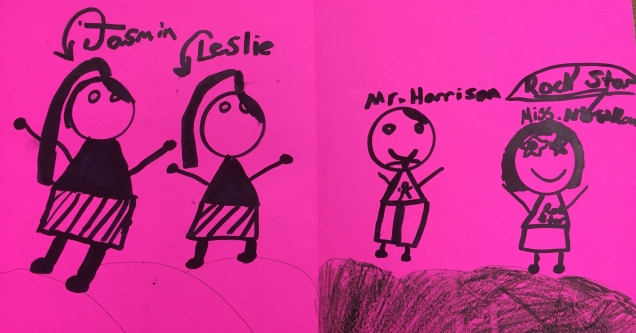
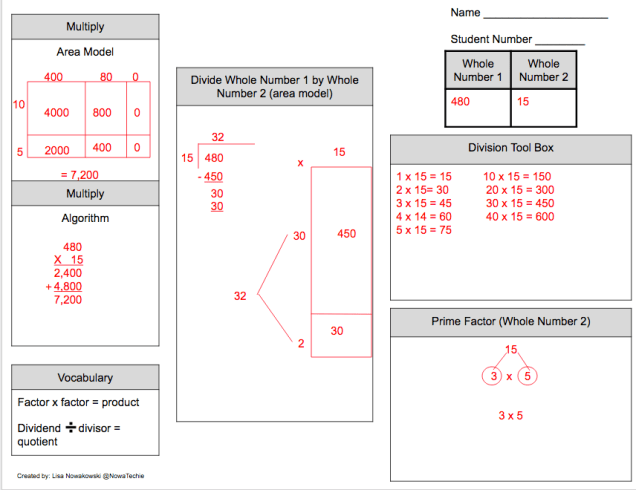
So, this is why I am vowing to come back from break with more gusto, enthusiasm, and most importantly, engaging lessons for the students. They deserve it! I’m finally going to start that 50 states lesson I thought up last summer, we are going to read The Mouse & the Motorcycle by Beverly Clearly and the unit will include Flipgrid discussions. Science Camp is also scheduled for later in the week. And Math. I just received my copy of Jo Boaler’s new book: Mindset Mathematics Grade 5. It’s the perfect time to revisit certain concepts that they are struggling with.
No more lazy teacher! My students deserve better. I am capable of better. I will do better!

 My students constantly amaze me. They come up with great ideas and are innovators in their own right. Not only do I enjoy hearing their thoughts and ideas, often times we implement them in our classroom. I also feel fortunate enough that my students feel comfortable enough to share their ideas with me; knowing they will be taken seriously and not ridiculed.
 This is a complex issue with many moving parts. The solution will have to be multifaceted in order to address the many components that make up this issue. Simply arming teachers (dumb idea, I’m hired to educate let me do my job) or placing law enforcement in schools isn’t the answer. And that doesn’t even take into consideration the perpetuation of the school to prison pipeline – locked & fenced campuses with armed guards.
 Stop and listen to one another. This is something we have been taught since we were children. Yet, in this age of instant communication, I have noticed that we talk more and listen less. Listening, to me, means to take a moment to process what the other person has said or written. We seem to wait politely until there is a break so that we can have our say. We’re doing it wrong.
 This is one question I try not to ask. This and “Did you have a good break?” When dealing with many students from differing backgrounds, it’s easy to forget that not everyone has a ‘good break’. It’s a natural question for many of us to ask. We come back not really ready to be back. I mean, we all love to sleep in and get things done around the house or hang with family/friends or go on trips. But for many students coming back to school is a welcome break from their home lives. And for that reason, I no longer ask students these questions.
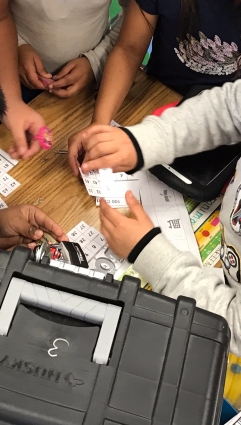 When a first-grade teacher expressed interest in doing a Breakout, I was thrilled to help. As she had never seen one in action she asked if I could lead. Of course, I said yes!