New MathReps Available in Snorkl Library

It’s been a crazy summer. In the last post, I talked about MathReps living in the Snorkl App – a sampling of MathReps, not the full collection. Well, I’m proud to say that they ARE indeed up and ready for you to use. Currently, K-2 is live with others being added regularly. The plan is to have a sampling from K through high school available.

So, where might you find them on the website? I’m so glad you asked. Log in to Snorkl App. Once logged in, navigate to the ‘Library’ tab. Click on the down arrow and select ‘Snorkl Library’.

Once in the Snorkl Library, navigate to the ‘General’ section. That’s where you’ll find MathReps.

That’s right, you’ll see 37 ready-to-use MathReps! Snorkl will continue to add to them as they are ready. 3rd-grade is in the works as I write this. If you have any questions or requests, please feel free to reach out, and I’m happy to help.

MathReps & Snorkl

Oofta, it’s been a hot minute. I’d like to blame end-of-the-year craziness on my lack of posting, but that’s not the whole story. The other part is that I just haven’t been motivated. Welp, I’m back!

Today, I’d like to briefly touch on a new(ish) app – Snorkl. This tool utilized AI in the best way. Students record their work via screen recording, voice and screen recording, only audio, or written. I have been focusing on the voice and screen recordings. This quick video shows how I built out a 1st-grade MathRep and how students can show their work. I know, you’re thinking, “So where is the AI?” So glad you had that thought; it comes in the form of immediate feedback in this case. It’s so much easier if I show you:

So what are your thoughts? How can you see utilizing Snorkl in your classroom?

Let’s Talk Math

My current position, Tech TOSA/Instructional Coach, affords me the opportunity to go into teachers’ classrooms and share the amazing things that are happening. So here I am sharing what this talented first-grade teacher in my district is doing.

Earlier in the week, I was in my Tech TOSA role. I went into this first-grade classroom to teach a lesson on coding using Beebots. I’m sure you’ve figured out this is not what I’m here to discuss. When I walked in, I noticed this chart on her board. What struck me about it was its simplicity. As you can see, it has some basic concepts and images to accompany it. What also drew my attention was the title: Let’s Talk Math. This implies that Math is something that should be discussed. It’s not something we do in isolation or keep to ourselves. While I did not have time to discuss with the teacher what she does with this chart, I know her well enough to say that she references it consistently.

I think it’s worth noticing that this is not flashy, cutesy, or Pinteresty in any way. Too often, we teachers ‘do too much,’ as the kids would say. That isn’t to say that those who make their room match or aesthetically pleasing “do too much.” It’s just to say that if you’re not that kind of teacher—like me—that’s okay. Having something as simple as a chart on your whiteboard works just as well. The important thing here is accessibilty – both in terms of understanding and placement – is most important. If it’s in a place where students can’t see it, like being too high up, or teachers don’t reference it, it’s no good to anyone.

What is my point in all of this? I wanted to celebrate the awesomeness of what this teacher is doing and highlight its simplicity. What are some simple ways you keep your students engaged while encouraging discussions?

NOTE: You may have noticed that I use hyphens in my writing. This has been a thing for me for many years: you can find them in previous posts dating back to pre-AI. I also know that AI uses them often, and it is one of the tell-tale signs that something has been written with AI. I felt the need to point out that while I use them, they are not a result of AI, just of my own knowledge of how to use them.

Effective Place Value Techniques for Teaching Addition

Are you looking for a way to help students truly see what’s happening when they add multi-digit numbers? One powerful approach uses place value-based strategies that build from representational thinking toward more efficient, abstract methods.

Start with Expanded Form

In the first part of the video, I model a place value strategy using expanded form. Students break apart each number into hundreds, tens, and ones, add those values separately, and then combine their sums.

This representational method supports flexible thinking and strengthens their understanding of how numbers work. It also lays a strong foundation for future strategies that depend on place value fluency.

Scaffold Toward the Algorithm

Next, I introduce a slightly more advanced approach that continues to use the Hundreds Chart as a scaffold. This visual support helps students begin to internalize regrouping and transitions them toward the traditional addition algorithm, a 4th-grade standard.

This shift is intentional. By gradually moving from expanded form to a structure that supports the algorithm, students develop a deeper understanding of why the algorithm works—not just how to use it.

Support with Consistent Structure

The real power of MathReps lies in their consistency. Each template reinforces key math skills in a familiar format, allowing students to focus on developing strategies and precision rather than navigating new instructions each time.

Whether students are practicing during warm-ups, small groups, or independent work, MathReps create a rhythm of reflection and growth with immediate feedback.

Grab the Free Templates

The MathReps template shown in the video is available for free at MathReps.com. And if you’re looking for a reusable option, check out the dry-erase Wipebook versions—perfect for centers, partner work, or teacher modeling.

One Rep at a Time

With MathReps, you’re not just assigning practice—you’re building confidence, one rep at a time.

Why Manipulatives Matter Beyond Early Grades

In the early grades, it’s not uncommon to see math manipulatives used daily in the classroom. Teachers pull out connecting cubes, counters, base ten blocks, and more—tools that help students build a concrete understanding of math concepts. Whether they’re exploring different ways to make 10 or practicing addition, these hands-on tools support their thinking in meaningful ways.

This follows the CRA model—Concrete, Representational, Abstract. We start with the concrete, like manipulatives. Once students have a solid grasp of the concept, we move into the representational, such as drawings or visual models. Finally, we introduce the abstract, using numbers and symbols alone. For example:

  • Concrete: Use connecting cubes to model 5 + 3
  • Representational: Draw 5 circles and 3 more
  • Abstract: Solve 5 + 3 = 8

But here’s what I’ve been thinking about lately: why do we often abandon manipulatives once students move into the upper grades?

Sure, by fourth or fifth grade, many students no longer need cubes for basic addition and subtraction. At that point, they’ve likely mastered those foundational skills and can work abstractly. But what about when we introduce new, more complex concepts—like volume in upper elementary or integers in middle school?

Volume is a great example. It’s a tough concept to grasp without something physical to hold or build. Yet so often, we hand students a formula and expect them to just “get it.” What if we instead gave them time to build with cubes, experiment, and see what volume means before jumping into the numbers?

The same goes for concepts like negative numbers. A number line or clothesline math activity can help students visualize and understand the relationships between positive and negative values. Why skip that step?

All this has me wondering: Is it a time issue? A training issue? Have we simply forgotten how powerful manipulatives can be for older students, too?

I’d love to hear your thoughts.
Do you use manipulatives in your classroom? What grade do you teach? What concepts do you use them for?

Let’s keep the conversation going—and keep math meaningful at every grade level.

Experiencing MathReps Success at Cipriani Elementary


A few weeks ago, I had the absolute pleasure of visiting Cipriani Elementary School in Belmont, California, and let me tell you—it was a fantastic day that filled my heart.

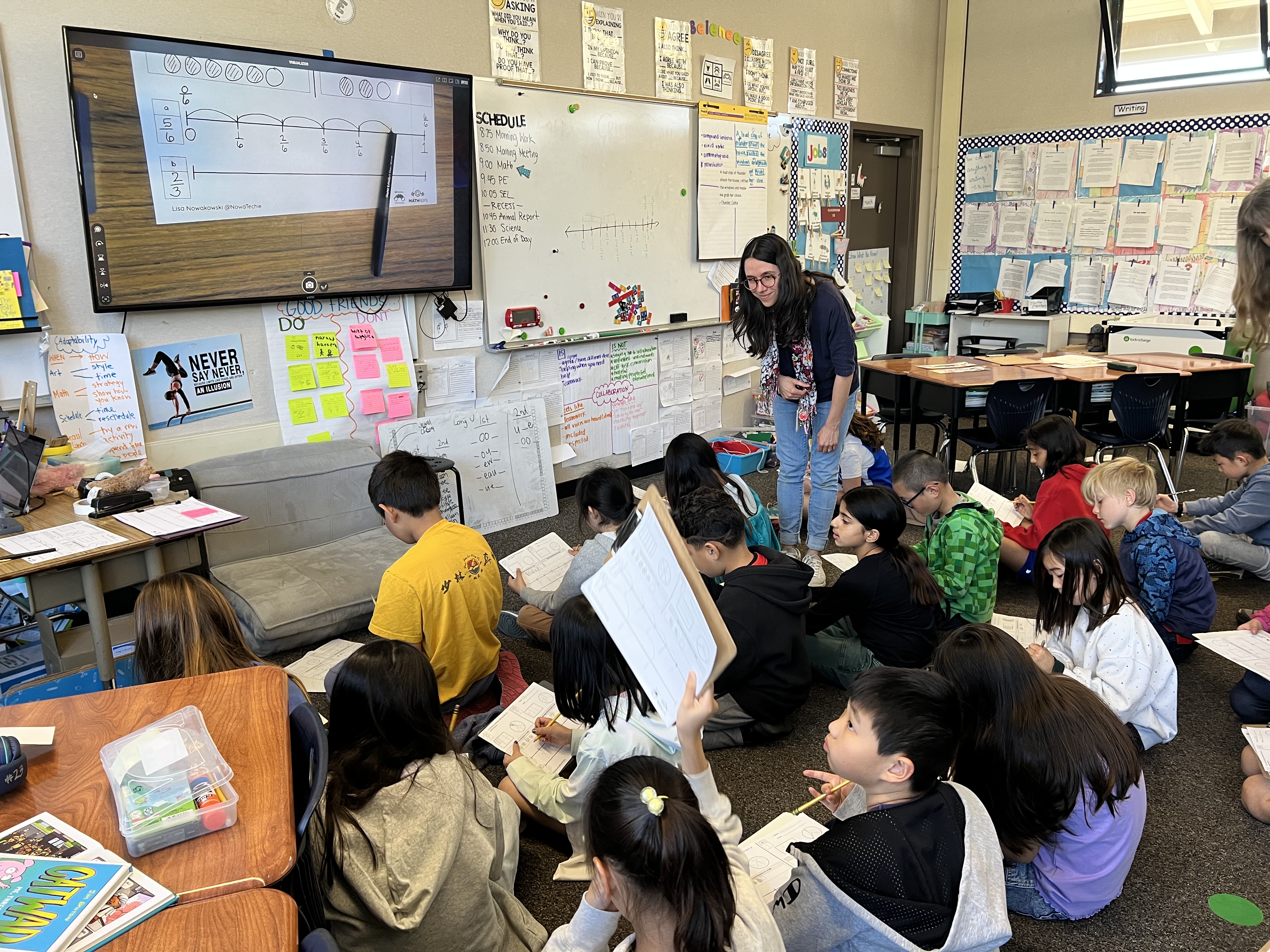
Throughout the day, I was met with warm smiles, welcoming teachers, and the most amazing group of students. I had the opportunity to visit several classrooms ranging from TK through fifth grade, and in each room, I was able to demonstrate MathReps and watch in amazement as students flourished in their math knowledge.

What stood out most to me during these classroom visits was the level of engagement and understanding the students displayed. They were respectful, kind, curious, and so eager to learn. It’s one thing to talk about the power of MathReps—but it’s another thing entirely to see it in action in so many classes.

The Cipriani staff was incredible. Not only were they open and receptive, but they also shared their own tips and tricks for how they modify and adapt MathReps to meet the needs of their students. I was genuinely inspired by the way they’ve made the framework their own. I came to share—but I left having learned so much from them too. That kind of collaborative energy is what makes this work so meaningful.

One of my favorite moments from the day happened in a third-grade classroom. As I was working with the students, one of them looked up at me, wheels turning in their head, and said, “Wait… your name is on the bottom of our MathReps!” The class instantly lit up with excitement. Then they asked, “Did you also make Math Dash Chats?” When I said yes, the energy doubled. That little moment of connection—of realizing that the person who created something they use every day was standing right there with them—was truly special. It reminded me that kids are paying attention, even when we don’t think they are.

Later that afternoon, I led a Math 360 professional development session with the entire staff. Thanks to our friends at Wipebook, we had large Wipebook flip charts to work with, and it made the experience even more interactive and fun. The discussions were rich and reflective, and once again, the Cipriani teachers brought their full selves to the table—asking great questions, sharing insights, and showing a genuine passion for improving math instruction.

Overall, it was such a rewarding, joy-filled day. I left Cipriani Elementary feeling deeply grateful—and even more motivated to continue visiting classrooms across the country to share the love, importance, and power of MathReps.

I am thankful to everyone at Cipriani Elementary for making me feel so welcome.

How to Add Watermarks in Google Docs Easily

Watermarks Google Docs can be useful, whether you’re branding them or marking them as drafts. Adding a watermark is super simple. Here’s how:

Step 1: Open Your Google Doc

Start by opening the document where you want to add a watermark.

Step 2: Access the Watermark Tool

  • Click on Insert in the menu bar.
  • Scroll down and select Watermark.

Step 3: Choose an Image or Text

  • Image Watermark: Upload an image from your computer, Google Drive, or the web. Adjust its transparency and size as needed.
  • Text Watermark: Type your desired text (e.g., “Brand” or “Draft”), then customize the font, size, and transparency.

Step 4: Apply & Save

Once your watermark looks good, click Done, and it will be applied to every page in your document.

Why Use Watermarks?

✔ Protects your work
✔ “Draft” signifies that it’s a work in progress and not final

Check out this video on how to add a watermark in Google Docs with just a few clicks!

Spice Up Your Math Lessons with the Nacho Problem EduProtocol!

Allow me to introduce you to an engaging and effective way to get your students thinking critically about math: Nacho Problem! If you’re looking for a structured-yet-flexible approach to problem-solving that promotes discussion, reasoning, and collaboration, then this EduProtocol is exactly what you need.

What is Nacho Problem?

Nacho Problem is a structured math discussion protocol that helps students develop their problem-solving and reasoning skills in a low-floor, high-ceiling way. Instead of just solving problems in isolation, students work through an incorrectly solved problem that leads to, explaining their thinking, and building deeper conceptual understanding.

It’s not just any problem—it’s “Nacho” Problem because it encourages students to engage with math differently!

How It Works

Nacho Problem follows a consistent routine that makes math discussions more meaningful and accessible for all learners. Here’s a breakdown of the process:

Launch the Problem:

  • Choose a problem that has been solved incorrectly. It can be a common misconception or a key concept.
  • Present the problem to the class and encourage students to think critically.

Think & Solve:

  • Students work independently or in pairs to solve the problem using their own methods.
  • They show their thinking through models, equations, or number lines.

Share & Compare:

  • Students explain how they solved it and compare their work with others.
  • Emphasize multiple strategies—there’s more than one way to solve a problem!

Debrief & Reflect:

  • Discuss which strategies were efficient, clear, or creative.
  • Make connections between representations and reinforce math vocabulary.

Why Use Nacho Problem?

🔹 Builds Math Confidence – Encourages all students to participate in math discussions.
🔹 Focuses Thinking – Students can critically analyze problems, looking for errors and correcting them.
🔹 Reinforces Multiple Strategies – Helps students see different ways to approach a problem.
🔹 Encourages Math Talk – Improves reasoning, justification, and communication skills.
🔹 Works with Any Grade Level – Can be adapted for K-12 by adjusting the complexity of the problem.

Hear About It In Under 2 Minutes

I recently created a video tutorial to show exactly how Nacho Problem works. Check it out here:

Try It in Your Classroom!

Want to give Nacho Problem a try? Here’s what you can do next:

Choose a problem that fits your students’ current math skills.
Use a template to help students structure their thinking.
Encourage collaboration by having students discuss and compare strategies.

You can find free templates and more math strategies at eduprotocolsplus.com and MathReps.com!

Final Thoughts

Nacho Problem is a fun, engaging, and powerful way to deepen students’ understanding of math. By making math conversations routine and structured, you’ll see more confidence, curiosity, and engagement in your classroom.

Understanding Subtraction with Pictorial and Expanded Models

Why Use Multiple Models?

By using a pictorial model alongside expanded notation, students get a visual and numeric understanding of subtraction. This helps them move beyond memorized procedures to truly grasp why and how regrouping works.

Let’s break it down step by step!

Step 1: Set Up the Problem

We’re working with 736 – 274.

  • 736 is represented using pictorial models in a place value chart:
    • 7 hundreds
    • 3 tens
    • 6 ones
  • Below, we note in the corner of each place value column what we’re subtracting: 200 + 70 + 4 = 274

Step 2: Subtract Using the Pictorial Model

Subtract the Ones (6 – 4):

  • Cross off 4 ones (I like to use x to represent 1s).
  • That leaves 2 ones.

Regroup the Tens (30 – 70):

  • Uh-oh! We don’t have enough tens to subtract 70.
  • So, we regroup 100 into 10 tens (since 100 = 10 tens).
  • Now, we have 13 tens total (13 tens = 130)
  • We subtract 70 (or 7 tens) from 13 tens, leaving 6 tens (or 60).

Subtract the Hundreds (700 – 200):

  • After regrouping, we have 600 left in the hundreds place.
  • Subtracting 200 leaves us with 400.

Final Answer: 462

Step 3: Solve Using Base 10 Expanded Notation

Now, let’s represent the numbers in expanded form:

  • 736700 + 30 + 6
  • 274200 + 70 + 4

Subtracting step-by-step:

  • 6 – 4 = 2
  • 30 – 70 (not possible, so we regroup from the hundreds)
    • Moving 100 over to the 10s place, making it 130 – 70 = 60
  • 600 – 200 = 400

Final Answer: 462

The Power of Dual Modeling

Using both pictorial and expanded form models side by side helps students see:
✏️ Why we “regroup” in subtraction
✏️ How place value plays a role in regrouping
✏️ That both methods lead to the same solution, reinforcing accuracy

When students see and practice both models together, they build deeper number sense and mathematical confidence!

Try This in Your Classroom!

You can grab a free MathReps template at MathReps.com and start using this strategy with your students today!

💡 Bonus Resource: Wipebook offers workbooks with four MathReps for second grade, providing structured practice all year long. Check them out!

Watch the Full Tutorial Video

Effortless Speaker Notes: Voice Typing in Google Slides

I’m here to share another quick and easy Google Slides tip with you. Have you ever found yourself struggling to keep up with typing your speaker notes? Or maybe your thoughts come faster than your fingers can type? Well, Google Slides has a built-in voice typing feature that makes adding speaker notes effortless. No copying, no pasting—just speaking!

Let’s dive in and explore how to dictate your speaker notes in Google Slides.

Step 1: Expanding Your Speaker Notes Section

When you’re working in Google Slides, you’ll find a section at the bottom labeled Speaker Notes. This is where you can jot down key points, reminders, or even your full script for a presentation. If you need more space:

  • Click and hold the small bar above the Speaker Notes section
  • Drag it upward to increase the size

Now you have a larger, more comfortable space to work with!

Step 2: Activating Voice Typing

Instead of typing manually, you can dictate your notes using your voice. Here’s how:

  1. Click on the Tools menu at the top of Google Slides.
  2. Select Dictate Speaker Notes.
  3. A microphone icon will appear and turn red, indicating it’s recording your voice.
  4. Start speaking, and Google Slides will transcribe your words in real time!

That’s it—your notes are being typed automatically as you talk!

Real-World Use Cases

Voice typing isn’t just convenient—it can be a game-changer for students and educators.

I once had a student who used this feature while I was giving directions. This allowed her to capture everything I said, and she could go back and review it later. It’s a fantastic tool for students who need to reference instructions, as well as for teachers who want to create clear, accessible notes for their presentations.

Final Thoughts

Voice typing in Google Slides is quick, simple, and super efficient. Whether you’re preparing for a presentation, creating lesson plans, or helping students stay organized, this feature saves time and enhances accessibility.

Try it out and see how it improves your workflow!