It’s the end of April. If you’re like most teachers, you’re spent. Your students are spent. But the learning doesn’t stop just because the calendar flipped.
How do we keep the “polish” on our math skills without adding more prep to an already overflowing plate?
The “Assign and Go” Solution
I am thrilled to share that MathReps are live and pre-made inside the Snorkl library. No more standing at the copier. No more hunting for the right PDF. You can quite literally “Assign and Go.” Whether you need to sharpen the 4 operations or dive deep into fraction models, the heavy lifting is already done for you. And what a relief that is!
Why This is a Game-Changer Right Now:
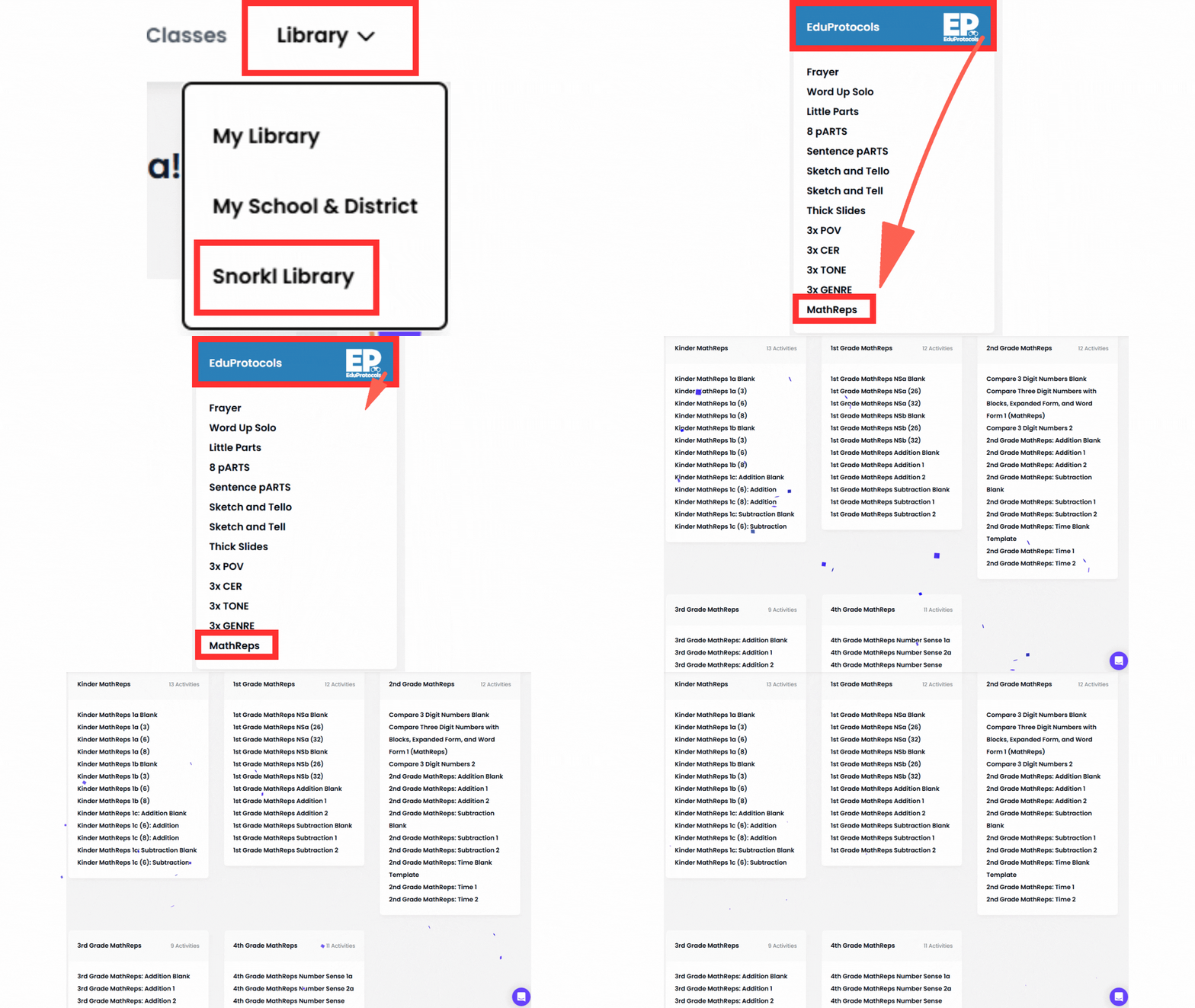
- Zero Prep: Navigate to the Snorkl Library, click “EduProtocols,” and select “MathReps.” Everything from Kinder to 4th Grade (with 5th Grade coming soon!) is ready to push out to your students instantly.
- The AI Co-Teacher: At this point in the year, you don’t have the bandwidth to listen to 30 individual explanations. Snorkl’s AI does it for you. It listens to the student’s logic, catches the “Instructional Debt” (like that hidden skip-counting), and provides immediate feedback. Although you may have to remind the students to review the feedback, I’m finding that in some younger grades.
- Consistency Over Novelty: Since these are based on the MathReps your students already know, you aren’t teaching a new tool; you’re just using a better engine to run the routine.
How to Find Them:
It couldn’t be easier.
- Log into Snorkl.
- Navigate to the Library.
- Look for the EduProtocols section.
- Select MathReps.
A Quick Update for 5th Grade
I know my 5th-grade teachers are waiting. I’m currently getting those frames ready for you! Stay tuned; they’ll be live in the library soon to help you finish the year strong.
The Bottom Line: You don’t have to choose between your sanity and your students’ growth. Let Snorkl handle the prep and the feedback so you can focus on being the human connection your students need as we close out the year.


