A few weeks ago I was able to get together with a few of my closest #EdTech friends. I say friends, but really they are more like family. They are my tribe. I learn from them, I grow because of them, and THEY are my people.
This is my reflection.
It always takes me a bit to process all that I have seen, heard, and learned at one of these conferences. Not only was I able to learn from some of the best, innovative educators around, I was blessed to be able to share my love of #HyperMaps with others as well.

I believe this was my 8th year attending. A drop in the bucket as CUE is celebrating its 40th Anniversary. They did it up in style! There were many nods to the originating year: the logo, to the Alludo ‘Groove’ game, to the display at CUE Hub.
As a result of going, I am incorporating new techniques and strategies in my classroom. One such item is Classcraft. This is a behavior management/game/parent communication tool (and so much more). I had heard of it before but never took the time to check it out. As a part of the Groove game (which my competitive nature drives me to participate in), I checked it out. I was able to talk to co-founder Shawn Young and gain some further insight. Needless to say, I was intrigued and am giving it a go.
Another solution came in the form of a hallway chat with Sam Patterson. He is my go-to person for all things MakerSpace. I didn’t have a MakerSpace problem; I had a Genius Hour problem and KNEW Sam was the person who would have a solution. Sure enough, he did. For years I have struggled with the accountability and general planning (on my students’ part) with Genius Hour. Afte a quick hallway chat, my teaching partner (Bret Harrison) and I had our answer. Sam was kind enough to share his resources. Bret and I modified them for our needs and our first Genius Hour after CUE18 went way more smoothly! Thanks, Sam!
I was able to attend several sessions including Nicole Beardsley and Katie Herr’s on HyperDocs. Remember #FileMakeACopy. Then there was Kevin Fairchild’s Maps & Legends. Loved his non-linear presentation design. And I LOVED the openness of Jeremiah Ruesch‘s introduction of Wonder Dots. Great stuff for number sense and number talks! I also sat in on Tara Martin’s talk on BookSnaps. Wow! Such great ideas. And of course, I could never forget to mention the other amazing people I get to see: Nancy Minicozzi, Tracy Walker, John Miller, Lisa Delapo, Brian Briggs, Ryan O’Donnell, and the numerous others I am fortunate enough to call friends, inspirations, and colleagues.
There was a lot to absorb and I’m still taking it all in. I’m reviewing my notes and those of my colleagues. As always, this was an amazing time surrounded by amazing educators. Thank you all! See you next year!
 My students constantly amaze me. They come up with great ideas and are innovators in their own right. Not only do I enjoy hearing their thoughts and ideas, often times we implement them in our classroom. I also feel fortunate enough that my students feel comfortable enough to share their ideas with me; knowing they will be taken seriously and not ridiculed.
 This is a complex issue with many moving parts. The solution will have to be multifaceted in order to address the many components that make up this issue. Simply arming teachers (dumb idea, I’m hired to educate let me do my job) or placing law enforcement in schools isn’t the answer. And that doesn’t even take into consideration the perpetuation of the school to prison pipeline – locked & fenced campuses with armed guards.
 Stop and listen to one another. This is something we have been taught since we were children. Yet, in this age of instant communication, I have noticed that we talk more and listen less. Listening, to me, means to take a moment to process what the other person has said or written. We seem to wait politely until there is a break so that we can have our say. We’re doing it wrong.
 This is one question I try not to ask. This and “Did you have a good break?” When dealing with many students from differing backgrounds, it’s easy to forget that not everyone has a ‘good break’. It’s a natural question for many of us to ask. We come back not really ready to be back. I mean, we all love to sleep in and get things done around the house or hang with family/friends or go on trips. But for many students coming back to school is a welcome break from their home lives. And for that reason, I no longer ask students these questions.
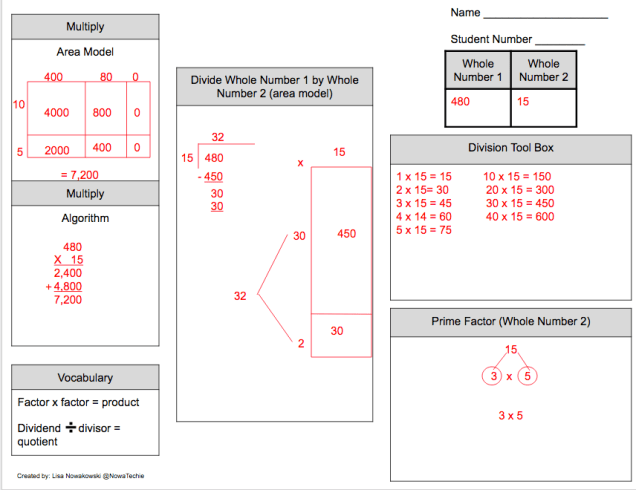
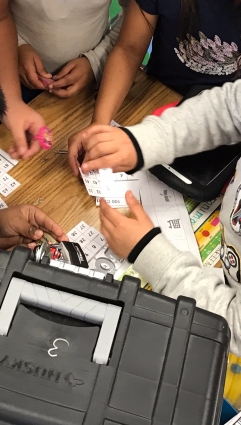 When a first-grade teacher expressed interest in doing a Breakout, I was thrilled to help. As she had never seen one in action she asked if I could lead. Of course, I said yes!