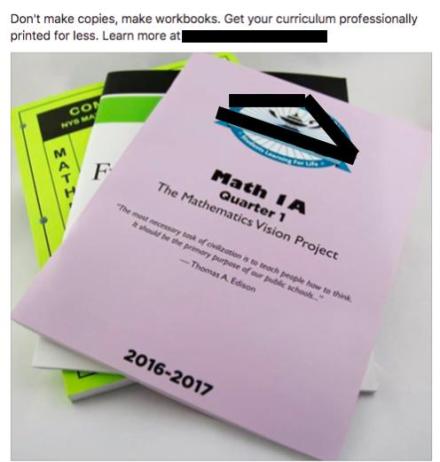
While scrolling through my Facebook feed, this image caught my attention. Yes, you read that right, “Don’t make copies, make workbooks. Get your curriculum professionally printed for less” This made me sad, depressed, and horrified.
Disclaimer: This is a local business and they do great, quality work. This is NOT against the printing company. They are doing what businesses do. They are not ‘in the business’ of education; that’s you and me.
So what’s wrong with this? Well for starters, a worksheet is a worksheet whether in a booklet form or not. Secondly, worksheets are boring and nicknames ‘shut up sheets’ for a reason. And since this whole thing called education is up to you and me, let’s make it better! Do you enjoy filling out paperwork? Yeah, me neither! So imagine how students feel. I know, your thinking, “But they need practice!” And I agree. But how about making it more engaging and interesting. For example, in 5th Grade, students need to find equivalent fractions. Now, I can either have them do DOK level 1 work via a worksheet – 3/6 = ?/2 OR have them manipulate fraction tiles to discover, and record, all the fractions that equal 1/2. Which would you rather do? Okay, so you might not have fraction tiles, right? But what if instead of printing worksheets, your district took that money and bought manipulatives? It’s all about where the district chooses to spend its money.
So while if I want something printed, I prefer going locally and will use this company. However, I implore schools to think differently. Let’s get away from worksheets and workbooks!
 When we were cleaning up on Friday, I watched one student pull out his phone, snap a pic, tag people, and post to one of his Instagram accounts. I thought this was a brilliant way to document and share his work! Now I need to work with the district’s IT department to unblock Instagram so my class can have an account and document our work.
 Slime. A craze that is still going strong in my classroom. While many teachers find it the bane of their existence; I do not. Okay, fidget spinners might be the new bane of our existence. I don’t ban the slime, or fidget spinners, mainly because my students seem to understand that each has a time and place. My students, for the most part, have found a balance between work and slime.
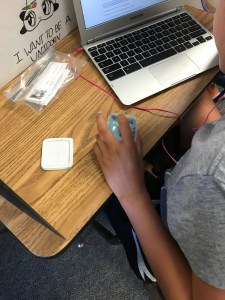 One student kept the slime in her container, read, and simply played with it by dipping her finger in and out of the slime. She gets a bit nervous because she wants to do well. I believe it helped relieve some anxiety. I took a quick picture and texted it to her mom (our school’s secretary). We just giggled.
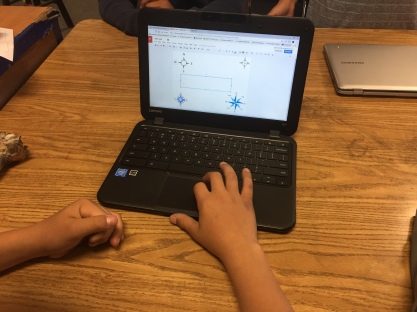 We had a bit of trouble coming up with a story so I had them creating some of the clues to the locks. They were RockStars creating the clues! They really thought out how to make the clues meaningful, with a bit of depth. One clue deals with the compass rose. We are still debating if we should have different ones on one page or split them up onto different pages and have them placed around the room. I think we will have to run the game with another class to work out some of the kinks.
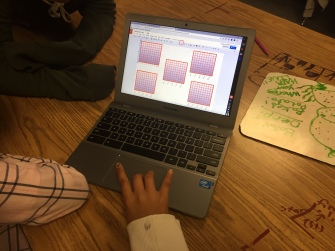 different approach in creating the coordinateplane. One group created a visually pleasing one with gradient coloring and took the time to draw each line. Meanwhile, another group struggled to create one; they needed four or five. The struggling group asked if the gradient colored group would mind sharing so they could copy their coordinate plane. And of course, the group was kind enough to share!
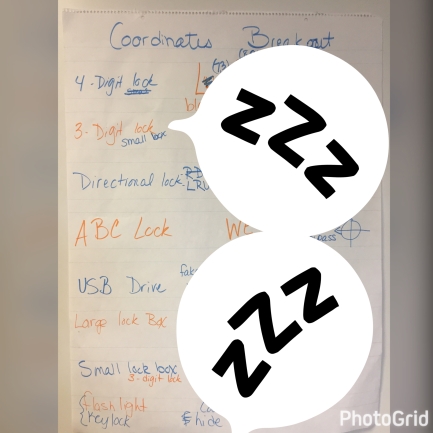 I posed the idea to the class and they went for it. We decided which locks and accessories to use, created codes, and clue outlines. They even designed a distractor that should be used. They had some great ideas! We’re not done yet, but we will definitely share when we are done. I will have them create the clues and the story. I’m pretty excited for what they will come up with.
 On a quest to find more meaningful work for students to do at home, my 5th-grade team has been toying with projects. We have refined our ‘Homework Matrix’ through the year. Basically, students are responsible for producing 4 projects per trimester. Some have been to look for the International Space Station (ISS). Others have been to create a sculpture that can be placed outside. However, I think my favorite has been the ‘Create a shadow box about someone who is important to you.”
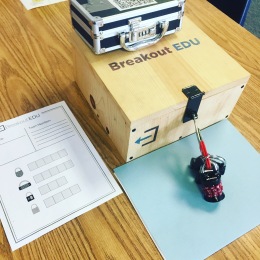
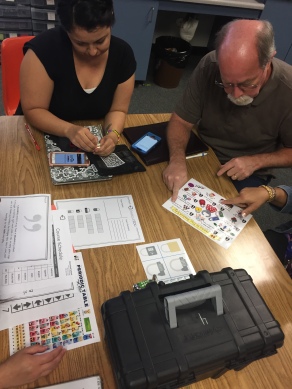 In the end, all teams broke out. Several teachers commented what fun it was and how they had to think outside the box to solve the clues. Which is the point; think outside of the box to break into the box!
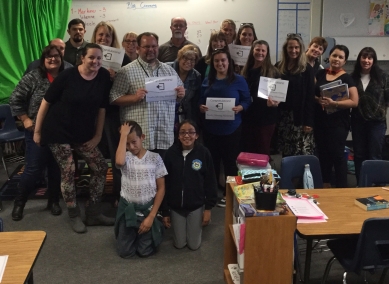 In the end, we talked about how it can be used in the classroom and it was revealed that our principal purchased 2 kits for our site. There were a few who said they were going to check out the
  Special thanks to the student and parents for granting permission.
 Friday we started our new path. The first lesson has students reviewing five different pieces of ‘Evidence’ (all factual) and taking notes. They are investigative reporters learning about the impact of plastic on our environment, animals, and us. Then, they are to form an action plan. When each group received their ‘Evidence’ I don’t think they thought I would stick to the 4-minute timer. I printed one copy of each piece of evidence and so they had a certain amount of time to review and take notes before passing it along. After the first round, they got the message. They then watched a 14-minute video produced by CNN to further their knowledge on the subject. Honestly, I have never seen the students so engaged. They really wanted to get all the information provided and answer all the questions on the guiding worksheet. And that was only day 1! I can’t imagine what the rest of the three weeks will bring, but I’m excited to see where this takes us!
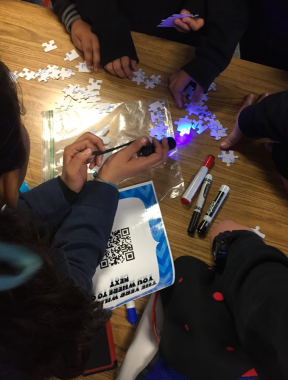 Holy Cow! It was a GREAT success. I mean, I knew it would be but it still blew my mind. A few weeks ago I sucked it up and purchased 4 more DIY kits. I had purchased one from the website a little over a year ago and was hesitant to buy more – I’m cheap! Anyhow, today I ran 5 simultaneous breakouts – Grammar Gurus.
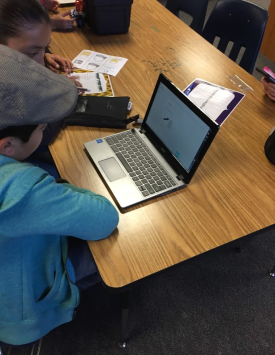 in the afternoon, I had another group of students in my classroom. They saw the locked boxes and asked what they were. I briefly explained what we did earlier and they asked when they were going to do one.
