The other day I had an awesome lesson planned teaching coordinates. I was going to use geoboards (NOTE: I found the plan at Howard County Public Schools Wiki). While I was teaching the lesson, one of my more creative thinkers modified it and made it into a game. Yesterday, the student tried to explain the game to me. I’ll admit, I didn’t get it. After completing an assigned task on coordinates, he drug out two geoboards and showed another student how to play. Okay, they’re learning and focusing on the standard. Today, the same students begs me to show the class his game. I, of course, agree.
I’ll admit, I still don’t totally understand it, but I let him explain it to the rest of the class. Apparently, it’s just me. Everyone else seemed to understand what to do. So here’s how it goes…
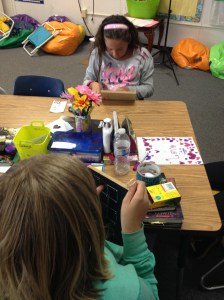
Both players have geoboards and create a shape on their boards. Then each player tries to guess the coordinates of the shape – Battleship style. Now this is where I get confused. The player is to remember where they had a ‘hit’. If the player gets a ‘hit’ they get another turn. When a player has found all points, the rubber band is lost to the opposing player.
I got lost at ‘you just remember where you had a ‘hit”. Well, the students seemed to be up for it. As they played, they each modified it to fit their own needs. I, for one, used cubes to mark my ‘hits’. while others plotted them out on graph paper. And don’t even get me started on the intricate designs some of them came up with! All in all, a good time was had by all, and my creative student felt like a ROCKSTAR!
Some days, I REALLY love my job!





 Nowa Techie