I’m Totally Crying

So often as teachers, we hope to impact students’ lives for the better. As an elementary teacher, I oftentimes am unaware of what my impact may have been. But every now and then, I am fortunate enough to learn about my impact.

On one of my Socials, I posted a picture celebrating the number of years of service to my district (25!). A former parent saw it and commented. And yes, I have many former parents as mutuals on my Socials. I live in a small town and it’s not uncommon. She shared that her youngest, a former student of mine, was graduating this year and their plan is to study Computer Science in college and it was thanks to me. They are also graduating high school with a CSE sash. Which was all very nice to hear. THEN, she shared out a writing that the student did. I’m not sure what it was from but the focus was on an experience that the student had while in my class and the impact that experience had on their life.

Background:
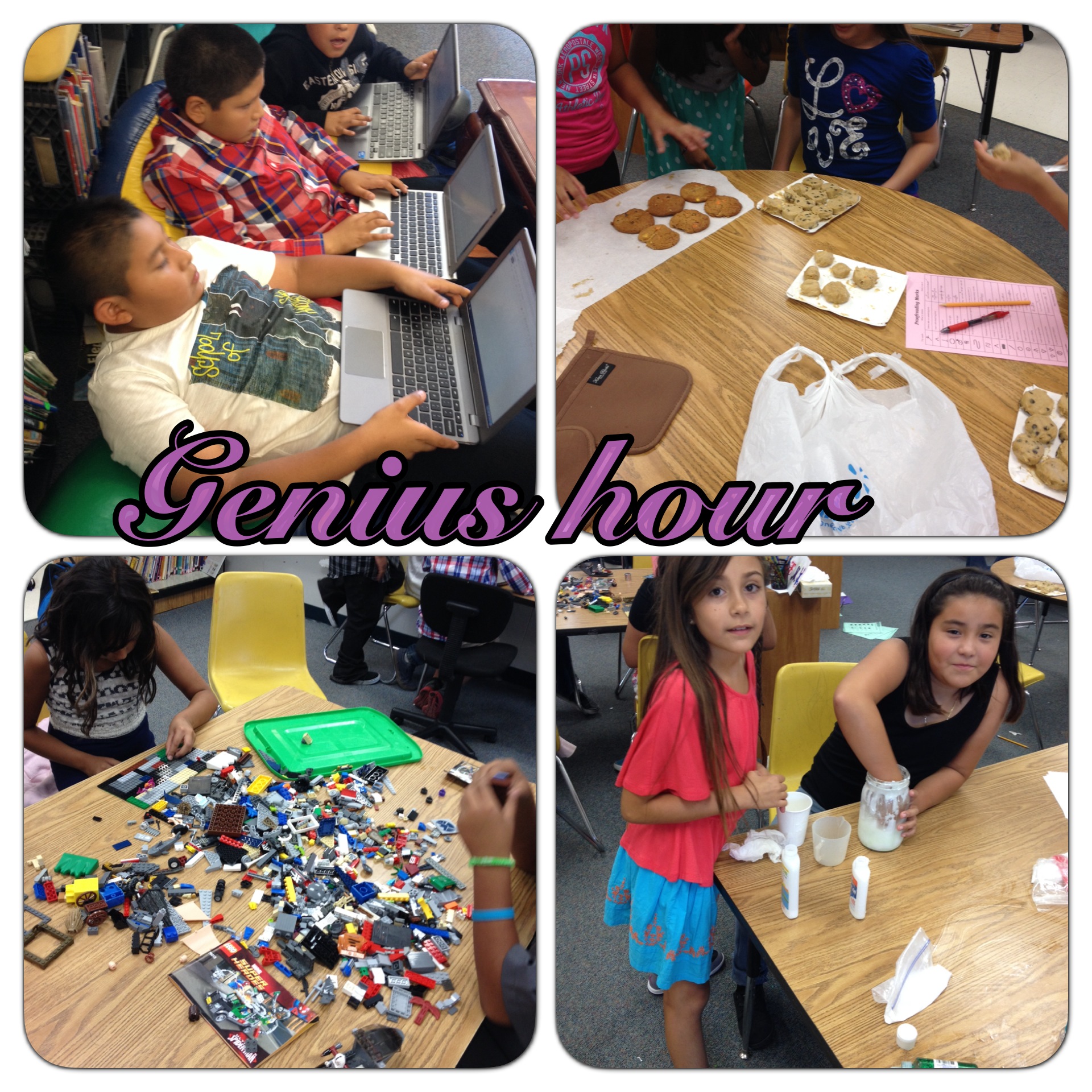
For many years, the students participated in ‘Genius Hour‘. This is a time when students can explore their passion, learn something they are interested in, or explore subjects/concepts. There are rules and expectations that accompany this time. Part of the procedure has students reporting out to the class. Therefore, my students were giving weekly presentations. These presentations were then scored by the class. We focused on clarity, volume/eye contact, and overall presentation (did they slump, lean against things, stand tall, etc).

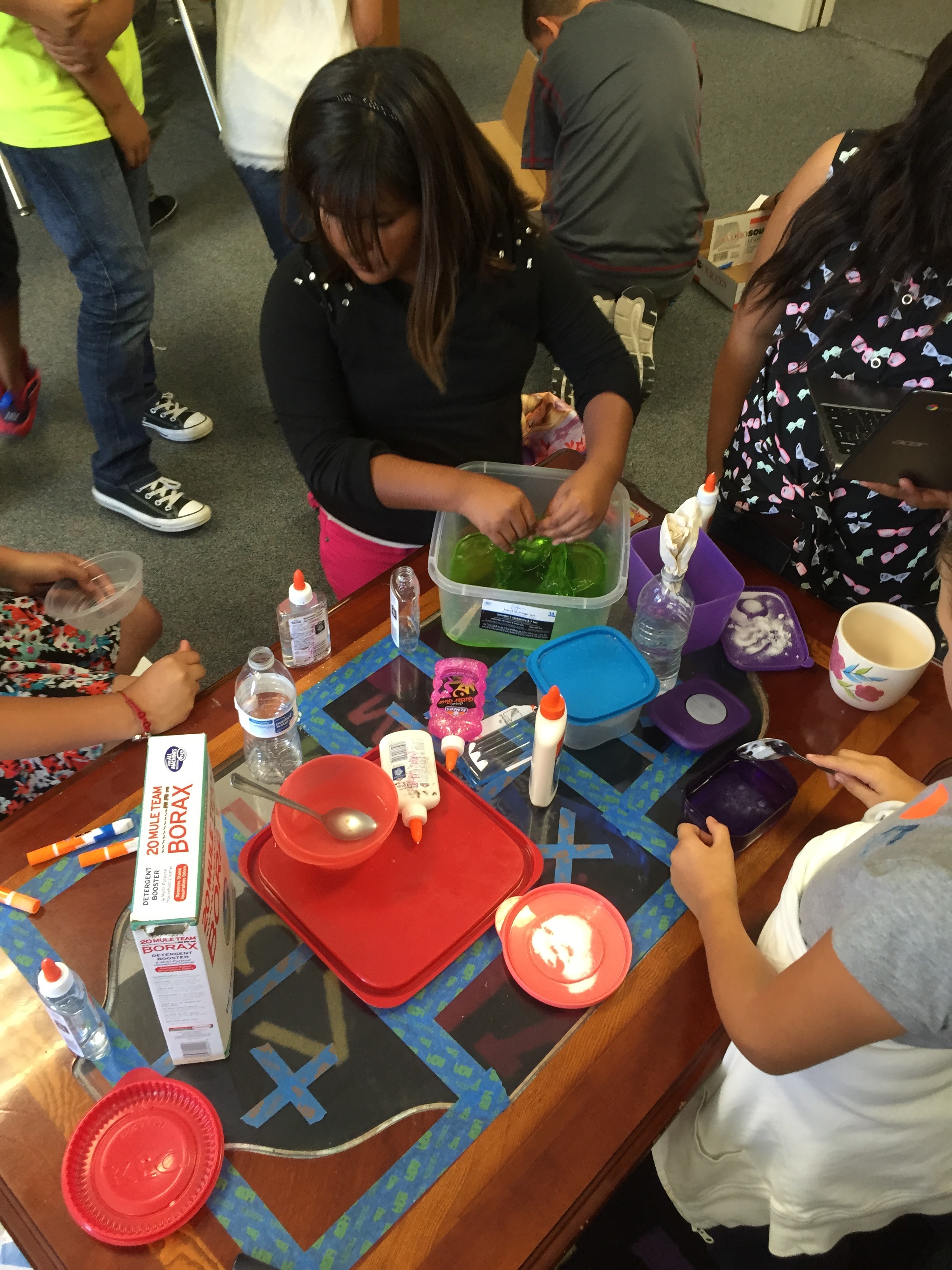
And for years, others side-eyed me and didn’t quite understand the power and impact this precious time held. From an outsider’s viewpoint, it looked like ‘free time’ or playing. To be fair, there was a good amount of slime and goo that was made through the years. I struggled with this for many years. I was hoping for more meaningful projects. Then, my good friend, Nancy Minicozzi, put it all in perspective for me. She said, “This is what they need and it’s okay. Let it go.” She was right. After all, there were many outstanding projects through the years. Techie Chicks were a group of girls who created a website of tech tools and tutorials. They even had their own Chrome Extension. There was another year, a group of girls got together to create a ‘business’. Well, it was more of a charity fundraiser. We had a student with health issues who was spending time in a Ronald McDonald house. This group created a website, sample products, and a Google Form all in an effort to raise money for the Ronald McDonald House. These 3rd-graders, raised around $300.

Back to the former student who will be studying CS. In an effort to help students explore subjects and projects they may have never thought of for themselves, I had some resources bookmarked for them to explore. The one resource that caught this student’s eye was Gamestar Mechanic. To say that the student was obsessed would be an understatement. This site allowed students to design their own video games. It was very basic pixelated images, but everyone enjoyed trying out the games this student created. The presentations grew more and more interesting as well. The student would invite another person up to play the newly created game while explaining how it was built and the skills needed to pass the level. It was so much fun watching this student dive into this newly found passion.

Fast forward 7 years. That student is now graduating and going on to study programming. Now, cue the waterworks. This was the reflection that was shared with me.
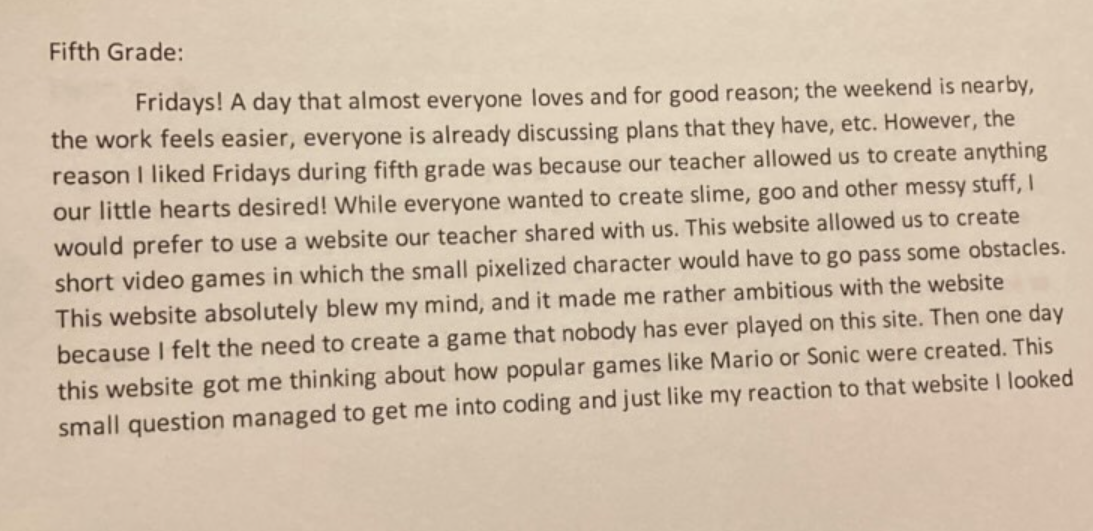

To this student and so many others, you are extremely gifted and, yes, here you are! You possess the drive and passion to build, create, solve problems, and make this world a better place. I can’t wait to see where you go and what you accomplish. I am so proud of you.

To educators and parents, allow students to explore new avenues. Allow them to spread their wings to try new things. Stand back and let them amaze you!

And yes, I’m tearing up again.

NOTE: I kept the pronouns neutral on purpose. It is nothing deeper than a habit to be neutral out of respect for others in the event they don’t want to be highlighted.
Social Media & Genius Hour

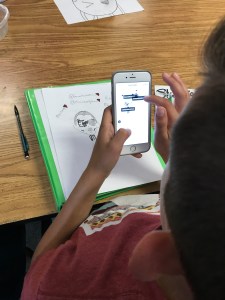
Each Friday our 5th-Graders participate in Genius Hour. This year, there is a large group of students that either create slime – in order to sell – or draw. They hop on either Google Images or YouTube to hone their skills. I have encouraged them to create a website to showcase their work. Silly me, no one wants to do that. BUT, showcasing their work on their Instagram accounts, that’s another story.

Yes, I am aware that Instagram is for 13-year-olds and older. Each time a student tells me they have an account I remind them of this and ask if their parents are aware of their account and do they have the password. If their parents are okay with it the best I can do is teach them how to be responsible: no locations, birthdates, first or last names, etc.

IMG_0013When we were cleaning up on Friday, I watched one student pull out his phone, snap a pic, tag people, and post to one of his Instagram accounts. I thought this was a brilliant way to document and share his work! Now I need to work with the district’s IT department to unblock Instagram so my class can have an account and document our work.

‘Homework’ Reimagined Update 1

A little over a month ago I shared out my (and my Partner Teacher’s) latest idea of ‘Homework’. Get a copy

Each Friday during Genius Hour I meet with students to review their ‘Homework’. This week I had 4 students that were able to present. Some took a different approach to the homework than I had intended. The results? Amazing!

One student created jewelry from ribbons, beads, and old hair decorations and fastened them with a barrette. This student is thinking of creating more and selling them. Another made a ‘sculpture’ that had a live plant! My students are amazing!

Presenting Genius Hour Projects

Genius Hour

gh

I have had my class participating in Genius Hour for the past 4 years. I love it. Admittedly, I struggle with aspects of it. One aspect that I have struggled with for a while now is the presenting part. They have no problem creating but, have some ‘issues’ listening to one another when it comes time to present. They all want to present, just not listen. Frustrating!

I Am A Genius!

And when I say ‘I’, I really mean Jon Corippo. In one of his presentations, he explained how he had students giving scores to one another during presentations – American Idol style. So this year when Genius Hour began, the same issues were occurring. Then this past week, I implemented the scoring system (albeit tweaked to better meet my needs).

Scoring

I am using a dual scoring approach. Based on our school’s Speaking & Listening Rubric (a work in progress), I have 5 small whiteboards we use as score cards. 4 score cards are in the audience and 1 is left with the presenters. The 4 audience score cards are – Volume, Eye Contact, Vocabulary, and Clarity. These circulate around the room (1 person scores per presentation per card) so that several students have the opportunity to score after a presentation. The presenter’s score card is Listening.

Did It Make A Difference?

Yes! When a score card came back with a lower score, the ‘judge’ explained what skill the presenter (or audience) needs to practice. There was definitely more ownership on both sides this week.

3D Printer Fun

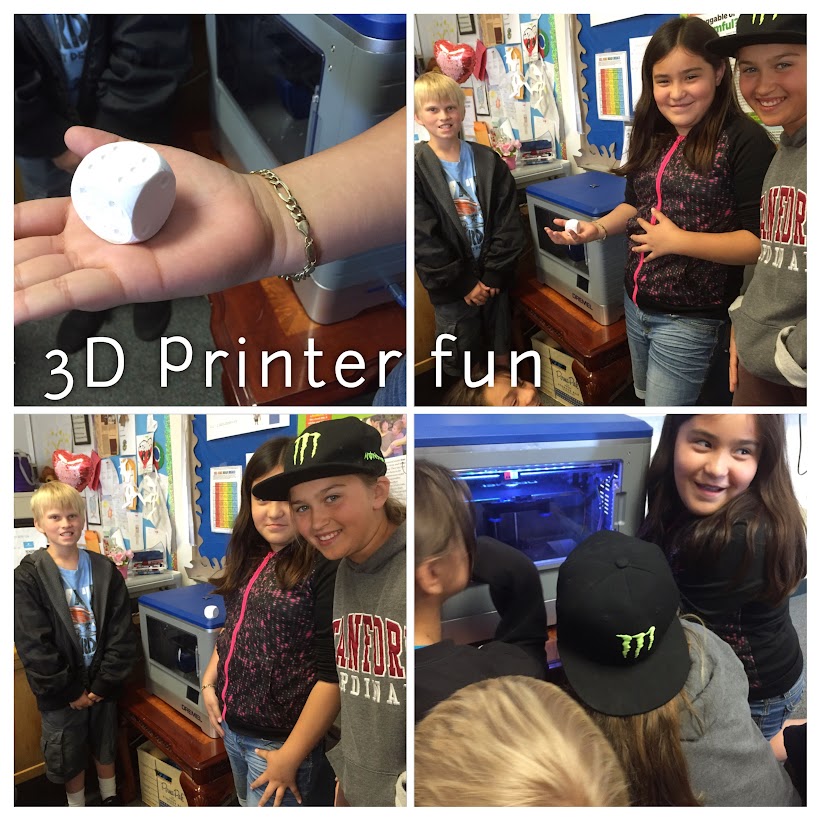
I believe in thinking BIG! That’s why when I decided I wanted a 3D printer for my class, I wrote a proposal and placed it on Donors Choose. Honestly, I had no idea what I was going to do with it. I figured I would allow students to create objects during Genius Hour. In addition, I was going to have THEM figure out the programs and printer – within reason, it is an expensive item.
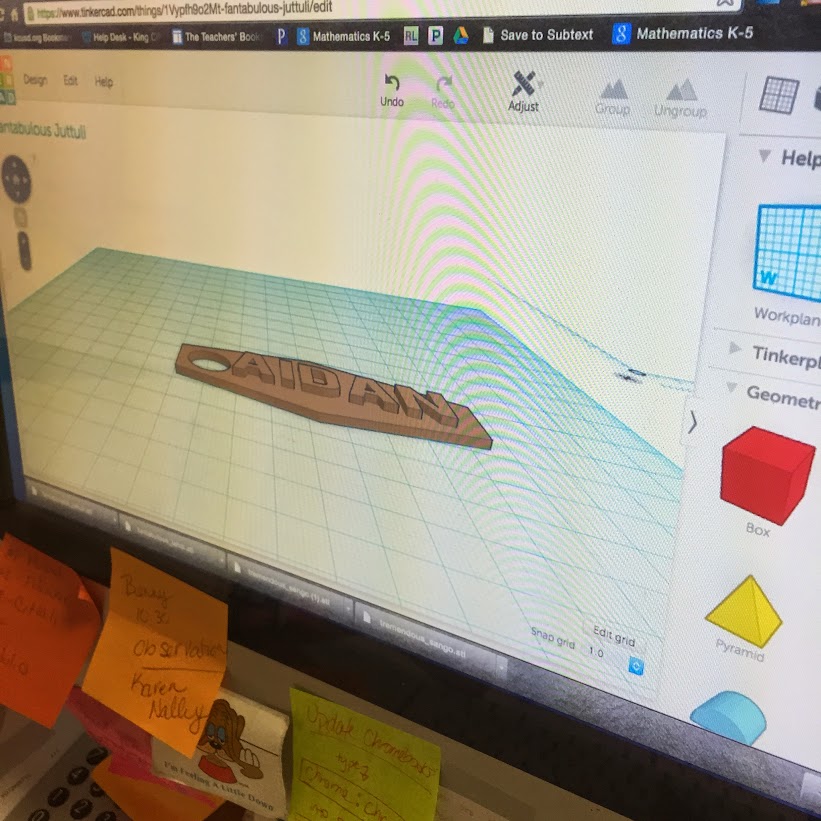
So when I was notified that my project was funded by Chevron, I was beyond thrilled. Just after Spring Break our printer arrived. The following Genius Hour a group of students and I set it up. Fortunately, one of my girls had gone home and done research on the type of printer we received (Dremel). She knew more about the printer than any of us. After setting it up, we printed out a die. It was a pre-fab file on the SD Card. That was pretty cool. Then came the following week…

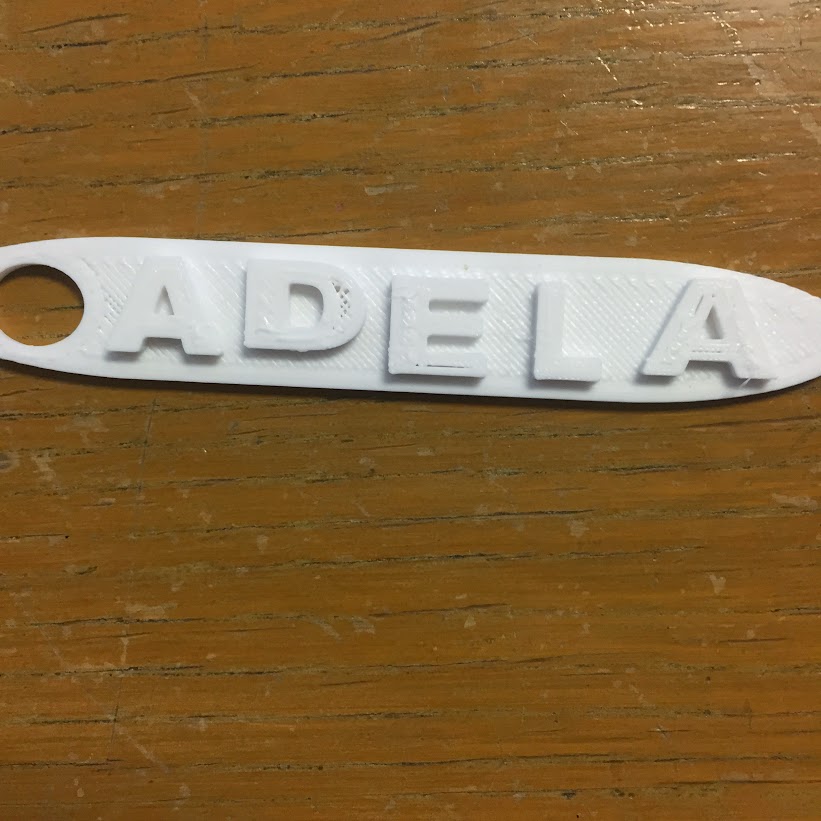
We discovered Tinkercad! Since then we have been creating, creating, creating! The early attempts were simple, but fun. I have students coming to school early wanting to create objects for their moms, brothers, selves…

They work together to solve design issues, and talk about new creations – there is a chicken in the making. I have another girl who went home and taught herself (with the help of the provided lessons on Tinkercad), how to use the program. She is our ‘Go To’ person. She is teaching us some of the ins and outs of the program.

It’s fun to see girls leading the way with this technology. It’s also interesting to watch the students watch the printer. It reminds me of the 1950 ads for TV, where everyone sat around as close as they could. Yeah, that’s what’s happening in my class.

I can now see how I can incorporate this into my curriculum. How fun would it be to have students working together to create the digestive system? Fun right?! Or create geometric shapes based on specific dimensions. Or create an object with a specific volume. Or create a topographic representation of a state. The possibilities are endless. This is just the beginning, I can’t wait to see where this takes us!

Techie Chicks Chrome Extension

My students think BIG! I have a group of 5th grade girls that created a website. I know you’re probably thinking, “Yeah, so what? Lots of kids create websites.” And you’re right – which is totally rockin’! But do they have a Chrome Extension in the Chrome Webstore? Mine do.

Techie Chicks ExtensionBackground

I do Genius Hour in my class each Friday. In the beginning of the year, a group of girls decided to do a website with tutorials. They named themselves ‘Techie Chicks’, inspired, in part, by this blog ‘NowaTechie’. Each week they decide what they would like to show the world how to do something techie. So far they have focused on a variety of tools. They have also become ‘known’ at my school. It’s not uncommon for teachers (and sometimes the Principal) to call asking for a Techie Chick or two for tech support.

Chrome Extension

One week Sabi asked if there was an easy way for others to get to their website. I said to bookmark it. She was not having that. I told her that we already set up a bit.ly for the site. You guessed it, still wasn’t good enough for her. Then she asked, “No, can we have an Extension or something?” See, they think big and don’t settle for less than what they’ve imagined. A week or so prior to Sabi’s insistence, I read how Alice Keeler got an extension for her website via fiverr. So that Friday during Genius Hour, we sent off their order.

By Monday they had their own Chrome Extension in the Chrome Store. We were all pretty excited. And now my students are officially WAAAAY cooler than me.

Side Note

Flynntes was great to work with. Advertised the product would take 7 days, had it in 4 days. The ‘Enter Site’ image was all Flynntes. It was a great experience!

First Genius Hour of Year

Holy cow! Our 5th Graders really blew me away this week with their first ever Genius Hour! There was baking, Minecraft, Eiffel Tower, Goo Making, Robot researching, and much more. This year’s class not only looked forward to Genius Hour, but they really took it seriously.

What’s Different?

Genius Hour1I saw the good in Genius Hour right away last year. The students were engaged, prepared on their own time, and organized themselves. It was great to see. So upon reflection, I wanted to make this year even more successful. So like any good teacher, I asked myself what I could do better/differently. The other 5th Grade teacher and I agreed; the students needed to do more research and have a plan in place before the actual day of. Our plan worked. The first week we had a group of students researching The Great Wall of China. They wanted to make a model of it. They soon changed their minds and switched to the Eiffel Tower. They created a document – and shared it with everyone in their group – took notes and saved pictures. One student was concerned about using a picture that was Free to Use or Creative Commons. How cool is that? Actively being responsible digital citizens!

Another advantage we had this year, is that this year’s 5th graders watched the previous year as last year’s class participated in Genius Hour. This group of students has been anticipating Genius Hour for almost a year. While they may not have totally understood everything that it entailed, they knew that they would get to learn things that were of interest to them.

IMG_1541

What’s Ahead?

I have no idea where this is all going, but if they continue down this path Genius Hour will be an even bigger success than it was last year. I can’t wait to see the model of Paris and the Eiffel Tower, the robot that one student was researching how to build, and all the other various creations!

Paper Minecraft

Earlier this year, I instituted Genius Hour. It has become the students’ favorite time of the week. I blogged about it recently, and you can read it in Why Genius Hour.

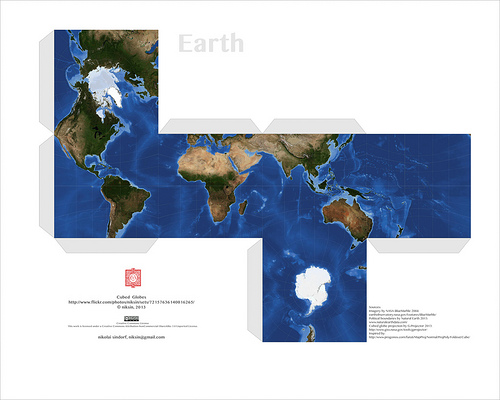
One of the biggest successes has come from Isaac. He is a creator by nature – tape and paper are his mediums of choice. In the past (I taught Isaac a few years ago) he would cut, tape, and draw on his creations. Well, he has since discovered Minecraft and Papercraft – the paper version of Minecraft. At first, he would have me print out Papercraft creations he found online. Much like this:

papercraft earth

Photo Credit: niksin via Compfight cc

Those are pretty cool and all, but then I showed Isaac Google Draw. That was it for him. His creativity kicked in and he hasn’t asked me to print out a prefab one in a while. Why? Because he now creates his own! At first they were pretty basic as he was getting to know the program. I showed him some simple tricks, like copy and paste, so that he could have congruent figures.

minecraft 1

Okay, so the sword is pretty cool, and not so basic. Since this one, he has started putting faces on his creations, and becoming a bit more precise.

snow golem

I can’t tell you how to put them together, but then again, I’m not into Papercraft. Isaac, however, is thrilled to have his creations brought to life. When I asked him about putting tabs on them and writing instructions for those like me; he says that it’s easier for him without the tabs and never really answered me about directions – I’ll take that as a ‘Not going to happen’.

It has been more than thrilling to watch Isaac’s progress. When I asked him if I could write about him on my blog, and share a few of his creations, his eyes sparkled and a HUGE grin spread across his face. I told him that he would get full credit for all of his work. He then told me that I had to put his full name on his creations. Yeah, after reminding him about Internet safety he was okay with just his first name and my name – so that no other Isaac could take credit.

I can’t wait to see what creations he will have for us in the new year!