It’s no secret to anyone that knows me that I LOVE Google My Maps. Yes, there is a difference between Google Maps (the tool that tells you how to get from place to place) and Google My Maps (customizable maps).
 Google My Maps is found in your Drive. It looks a lot like Google Maps, but as I’ve said, you can customize it. You can put points of interest, photos, directions, lines, shapes, customize the icons, etc. (a list of how to use the tools can be found on my YouTube Playlist).
When people hear about Google Maps (or My Maps), they automatically think it’s solely a geography thing. Teachers are no different. Yes, My Maps lends itself to geography and history quite easily, however, I have used it with Social Studies, ELA, and even Math!
In Social Studies, my students studies Pre-Columbian Peoples. I decided to split them into groups, create a Hyperdoc to find information and then use My Maps to record information. Their final Maps were placed on a Google Site. They created layers, drew shapes, recorded information, inserted pictures and videos, collaborated, learned, and shared.
In Math, students practiced fractions using My Maps. Yes, adding and subtracting fractions with both like and unlike denominators. In Math, there is practice using the measuring tool, comparing distances, it will even tell you perimeter and area of a shape.
In ELA, mimicking Jerome Burg’s Lit Trips, students can retell the story, learn about places, ideas, and the like that appear in the book. Next year, I would like to do this with Bud, Not Buddy, a book I have my 5th-graders read every year.
In another example, I created the HyperMap, same principle as Hyperdocs using My Maps. My students are required to learn about the 13 original colonies. In it, I created layers and gave the directions on the map. The students were then tasked with learning and recording the information (in groups).
If you are a fan of Hyperdocs, then this is a beautiful addition to your lessons. Think about how you can use Google My Maps in your classroom next year. Be sure to share your ideas in here and if you create something fun and exciting, share it on the Hyperdocs website!
 Last week I had the privilege of being a part of the #cuerockstar #rOxnard faculty. And what an amazing group they were! As tradition, we all had one minute to ‘sing for our supper’ also known as ‘Shred Session’. Yeah, that one-minute time limit? It meant nothing to me! In true RockStar fashion, I went a tad over. In all fairness, Mike Vollmert warned me that my time would soon be up. My response? “I don’t care,” and kept going. That was the first time I ever did that.
 A while back Google came out with an App for us to ‘scan’ our photos – PhotoScan (
 To scan this photo, it took me less than a minute. I have some abilities to turn the glare on and off, rotate the image, and adjust corners.


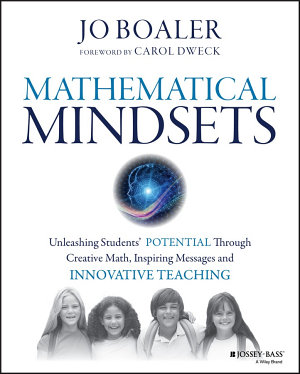 This year, as a parting gift, my principal handed out this book to all returning and new staff members. We were invited to participate in a Summer Book Club. One in which we read, post thoughts, videos, questions, and ideas. This made me so happy! I had thought about buying the book earlier this year when my principal told me to hold off and that he was buying one for all of us. So for the last 2 weeks of school, I hounded him to let me take my copy. He wouldn’t give it to me until I signed out of my room. Tricky man! (NOTE: I NEVER ask to read a book. I have some reading disabilities that make ‘heavier’ readings difficult for me)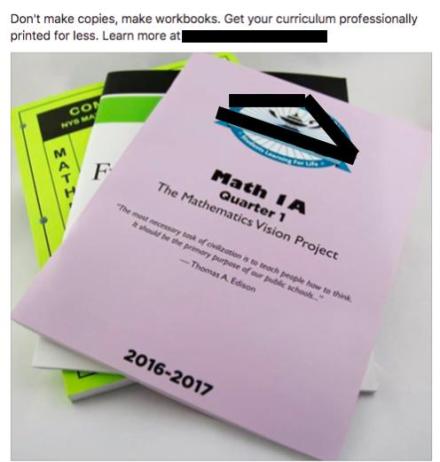
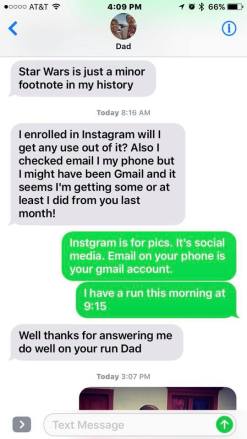 Most recently I received a text telling me that he ‘enrolled’ in Instagram. Yes, he did this without knowing what it was, how it worked, or why he would even need/want it. Then, 24 hours later he decided that he didn’t have the ‘brain of a teenager’ and Instagram wasn’t for him. Ironically 72 hours after signing up, he was back to looking at my photos and liking a few.
 When we were cleaning up on Friday, I watched one student pull out his phone, snap a pic, tag people, and post to one of his Instagram accounts. I thought this was a brilliant way to document and share his work! Now I need to work with the district’s IT department to unblock Instagram so my class can have an account and document our work.
 Slime. A craze that is still going strong in my classroom. While many teachers find it the bane of their existence; I do not. Okay, fidget spinners might be the new bane of our existence. I don’t ban the slime, or fidget spinners, mainly because my students seem to understand that each has a time and place. My students, for the most part, have found a balance between work and slime.
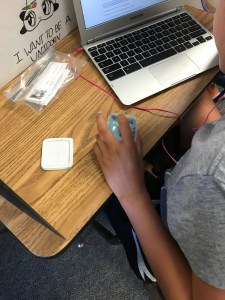 One student kept the slime in her container, read, and simply played with it by dipping her finger in and out of the slime. She gets a bit nervous because she wants to do well. I believe it helped relieve some anxiety. I took a quick picture and texted it to her mom (our school’s secretary). We just giggled.
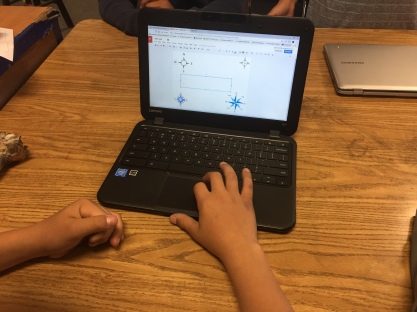 We had a bit of trouble coming up with a story so I had them creating some of the clues to the locks. They were RockStars creating the clues! They really thought out how to make the clues meaningful, with a bit of depth. One clue deals with the compass rose. We are still debating if we should have different ones on one page or split them up onto different pages and have them placed around the room. I think we will have to run the game with another class to work out some of the kinks.
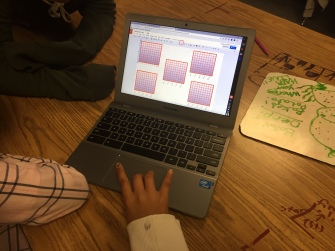 different approach in creating the coordinateplane. One group created a visually pleasing one with gradient coloring and took the time to draw each line. Meanwhile, another group struggled to create one; they needed four or five. The struggling group asked if the gradient colored group would mind sharing so they could copy their coordinate plane. And of course, the group was kind enough to share!
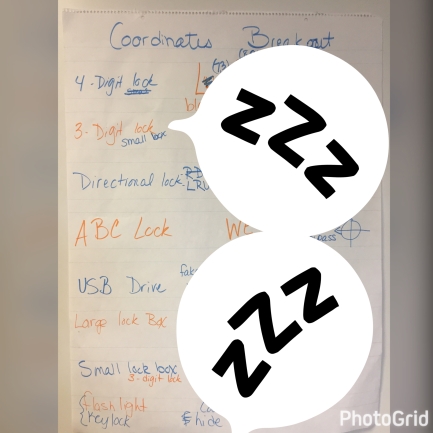 I posed the idea to the class and they went for it. We decided which locks and accessories to use, created codes, and clue outlines. They even designed a distractor that should be used. They had some great ideas! We’re not done yet, but we will definitely share when we are done. I will have them create the clues and the story. I’m pretty excited for what they will come up with.
